Connect
Import and export connections
Move a set of connections to another computer as one file, encrypted when it carries passwords, or copy a connection as a URL that fills the connection form.
Where to find it
| Action | How |
|---|---|
| Export every connection | The menu beside New connection on Home, then Export connections... |
| Export a group | Right-click a group heading on Home, then Export group... |
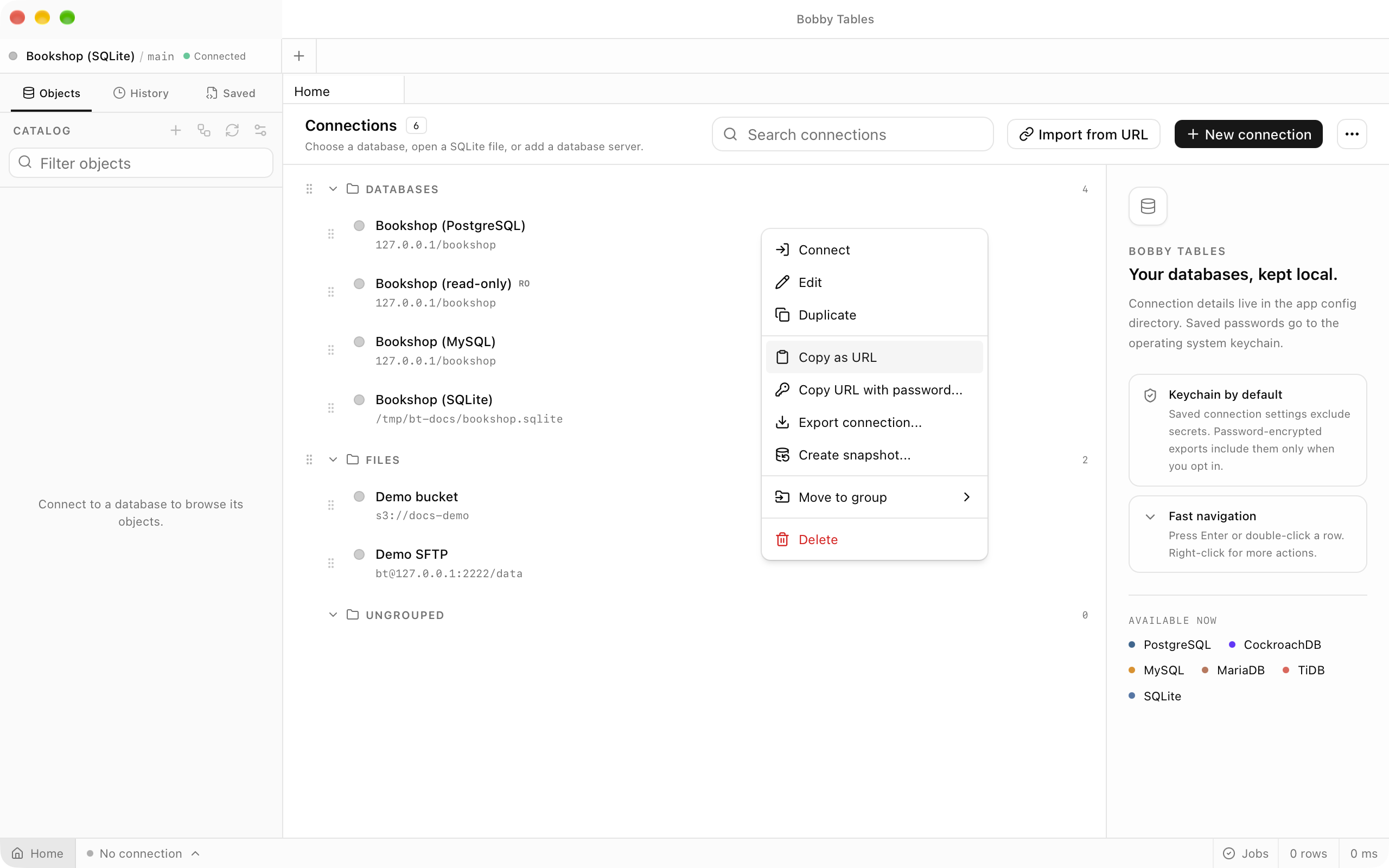
| Export one connection | Right-click a connection on Home, then Export connection... |
| Import a file | The menu beside New connection, then Import connections... |
| Copy a URL | Right-click a connection on Home, then Copy as URL |
| Fill a connection from a URL | The URL box at the top of the connection form, or Import from URL on Home |
Every action here starts on Home, which Home in the status bar opens.
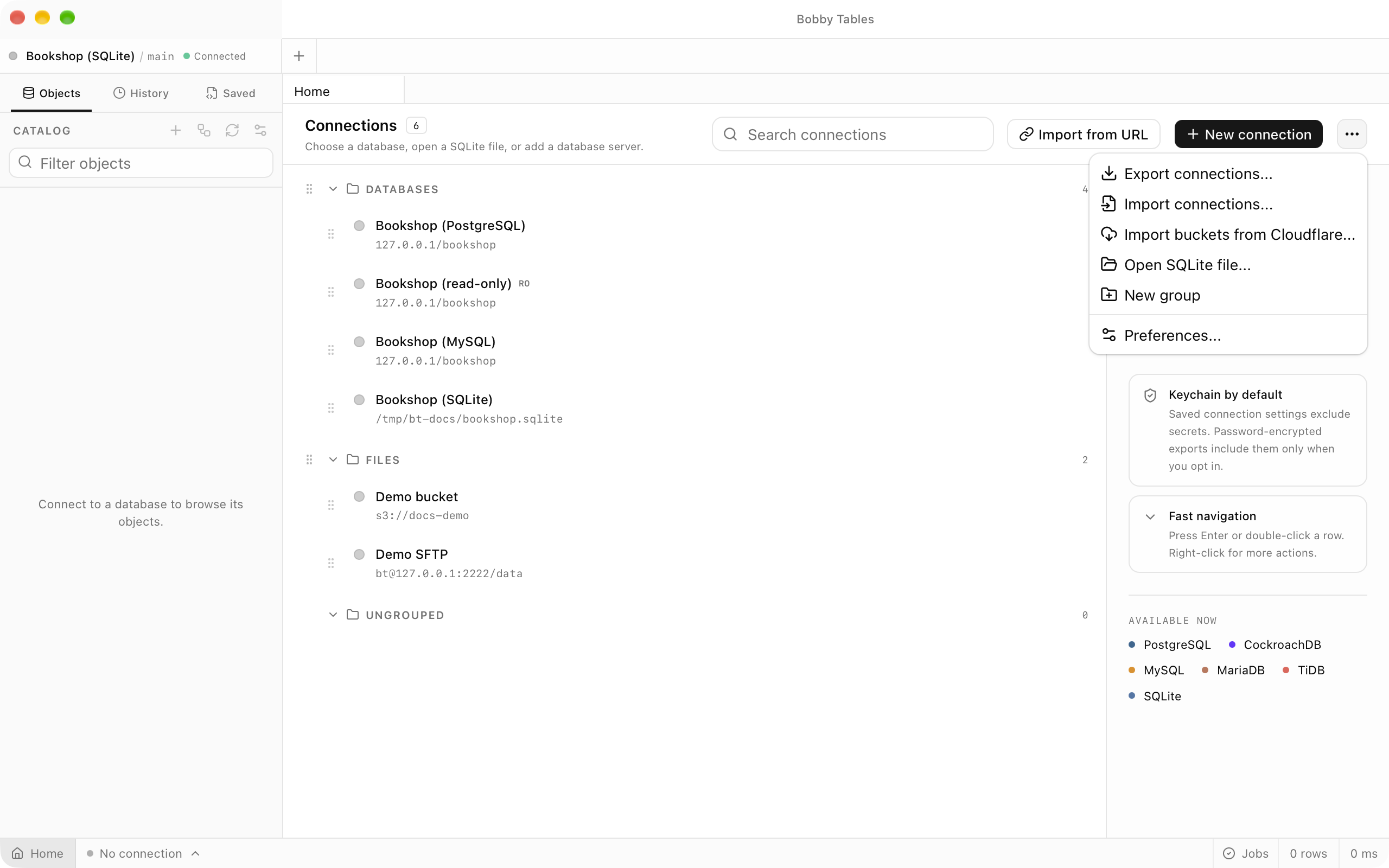
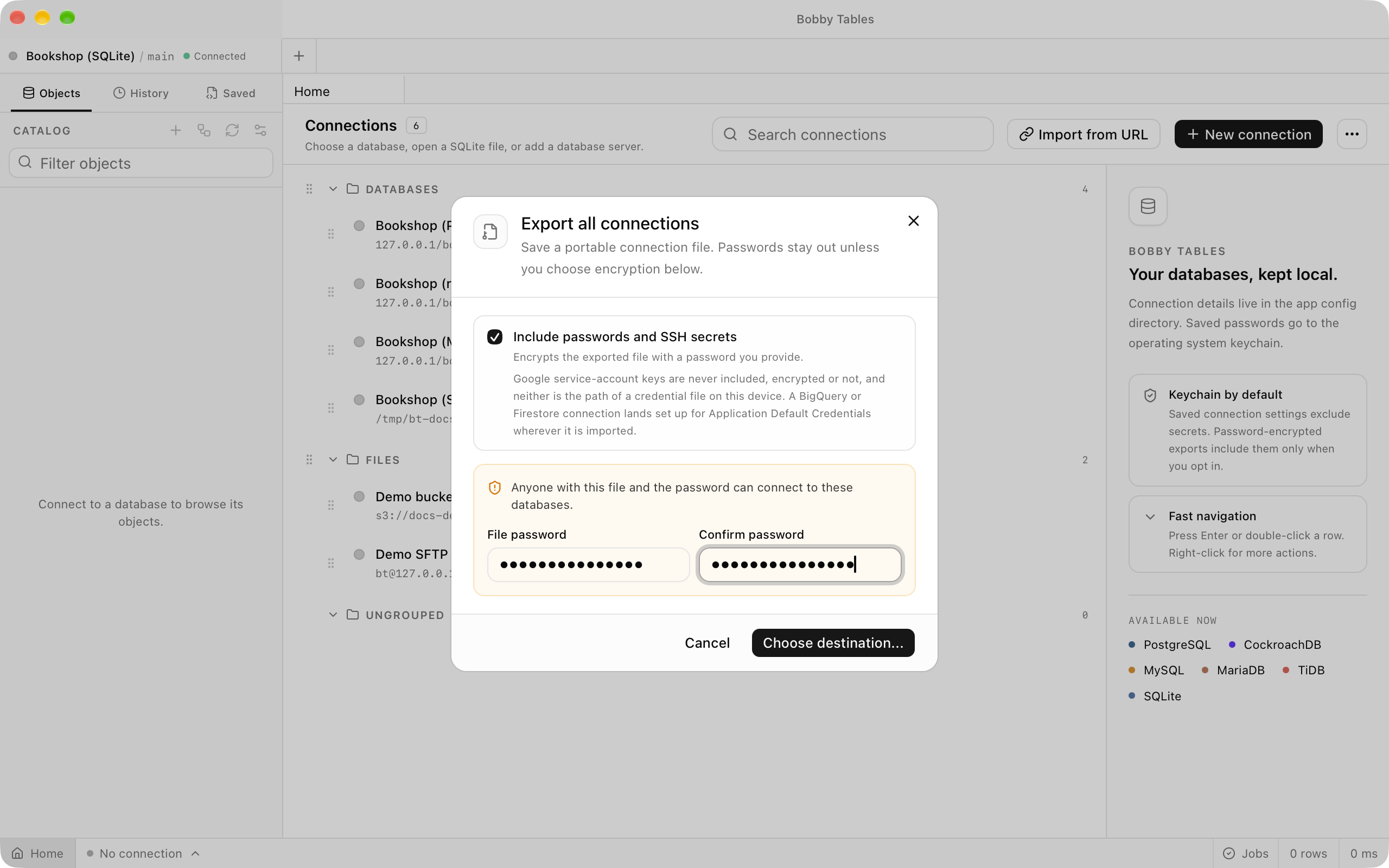
Export
Export connections... saves every connection, Export group... saves one group, and Export connection... saves a single connection. Include passwords and SSH secrets starts unticked, and the file then holds the connection settings without any secret and without encryption. Ticking it asks for File password and Confirm password, encrypts the file with that password, and adds the passwords and secret keys saved in the keychain. Choose destination... then saves a .bobby-tables-connections file, and Home reports how many connections it wrote.
Import
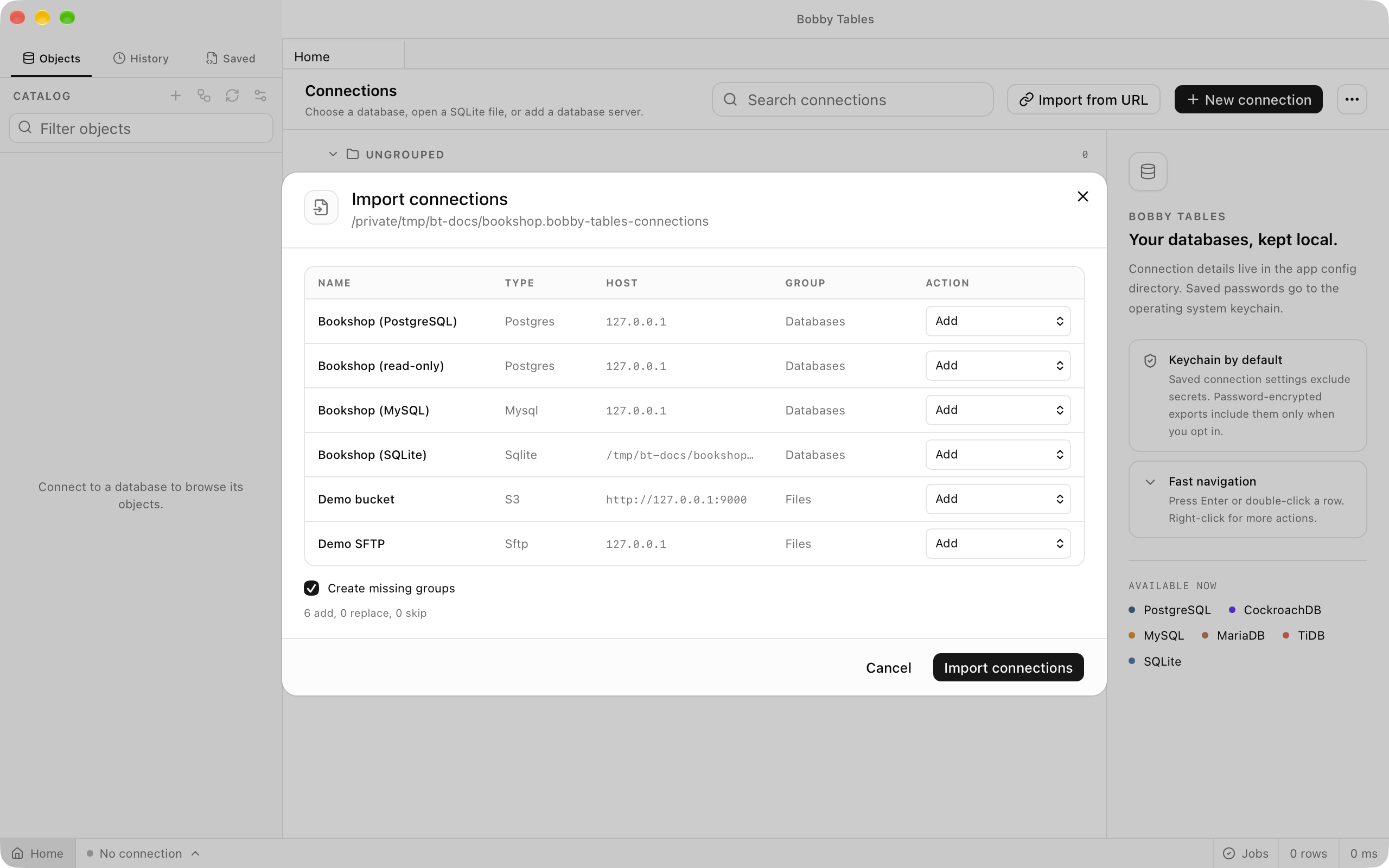
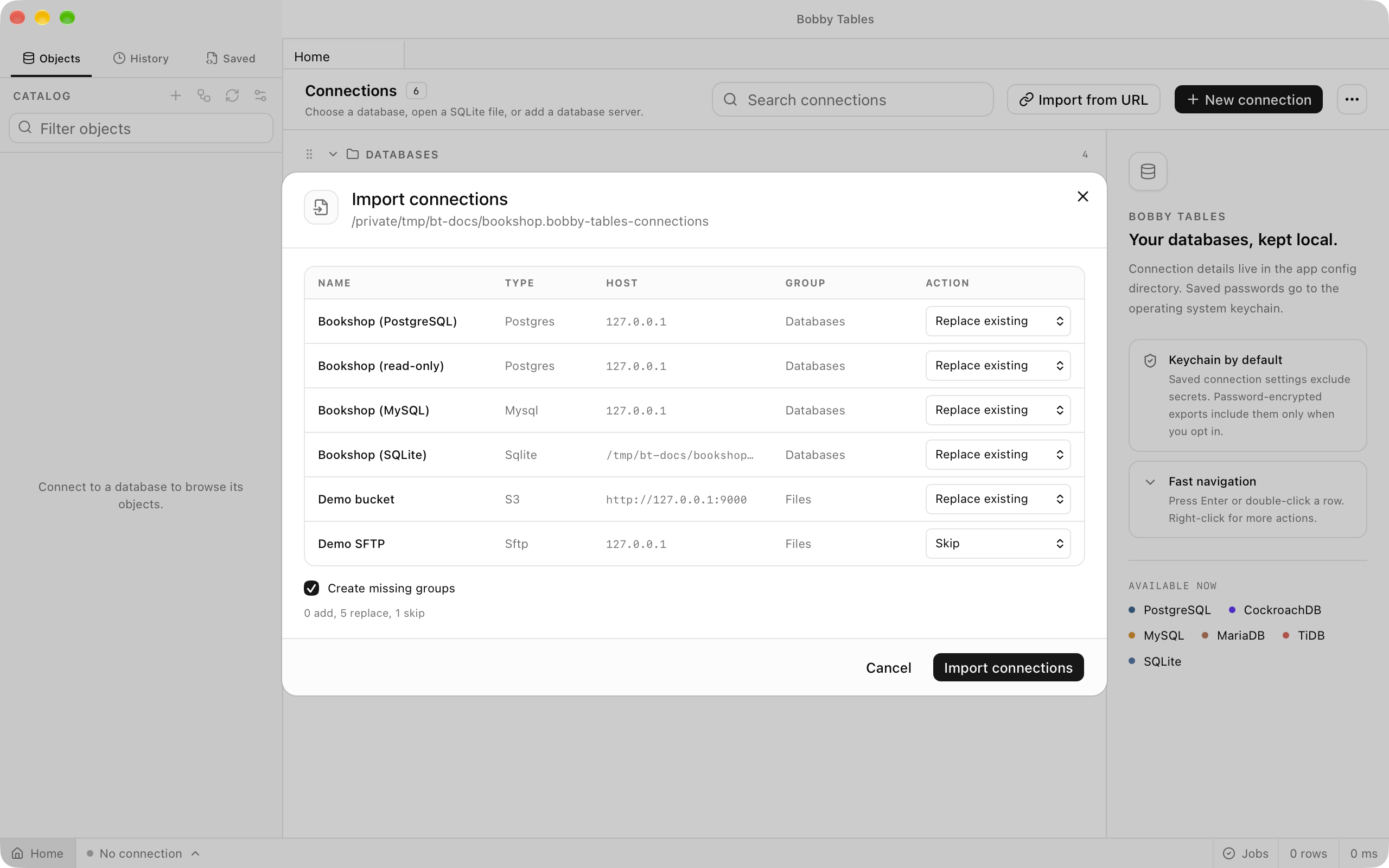
Import connections... opens a .bobby-tables-connections file, and an encrypted file asks for its export password before Unlock file shows what it holds. The review lists each connection's name, type, host and group with an Action: Add for a connection that is new here, or Replace existing when a saved connection matches it. Set a row to Skip to leave it out, and keep Create missing groups ticked to bring the file's groups along. Import connections then reports how many connections were added, replaced and skipped.
Connection URLs
Copy as URL puts a connection's URL on the clipboard without its password, and Copy URL with password... asks before it includes one. Paste a URL into the URL box at the top of the connection form, or into Import from URL on Home, and Fill fields switches the form to the provider the scheme names. The form accepts these schemes.
| Provider | Schemes |
|---|---|
| PostgreSQL | postgres://, postgresql:// |
| CockroachDB | cockroachdb://, cockroach:// |
| MySQL | mysql:// |
| MariaDB | mariadb:// |
| TiDB | tidb:// |
| Microsoft SQL Server | sqlserver://, mssql:// |
| ClickHouse | clickhouse://, clickhouses://, clickhouse+http://, clickhouse+https:// |
| Snowflake | snowflake:// |
| Oracle Database | oracle://, oracle+tcps://, oracle+tns:// |
| SQLite | sqlite:, file: |
| Google BigQuery | bigquery:// |
| Redis / Valkey | redis://, rediss:// |
| Apache Cassandra | cassandra://, cql:// |
| ScyllaDB | scylladb://, scylla:// |
| MongoDB | mongodb://, mongodb+srv:// |
| Amazon S3 | s3://, and https:// Amazon S3 bucket addresses |
| SFTP | sftp:// |
Good to know
- A file exported without passwords is not encrypted.
- Google service-account keys are never included in an export, encrypted or not.
- Passwords that did not travel in the file are asked for the first time an imported connection opens.
- A name or group already typed in the connection form is kept when a URL fills the rest.
- How many connections you can save is described on pricing.