Browse and edit
Structure
The Structure tab shows a table's columns, keys, indexes, constraints, triggers and definition. Changes to columns, indexes and keys wait as pending changes until you preview and commit them, the same way row edits do.
Where to find it
| Action | How |
|---|---|
| Open a table's structure | Structure at the bottom of a table tab, ⌘⌃] (Ctrl+Alt+]), View → Structure, or Open Structure in the table's sidebar context menu |
| Return to the rows | Data, or ⌘⌃[ (Ctrl+Alt+[) |
| Create a table or view | The Create object button above the sidebar catalog, then New table... or New view... |
| Rename, truncate or drop a table | Rename..., Truncate... or Drop... in the table's sidebar context menu |
| Read the definition | Definition in the structure header |
| Preview pending changes | Preview, or ⌘⇧P (Ctrl+Shift+P) |
| Commit pending changes | Commit, or ⌘S (Ctrl+S) |
Reading a table's structure
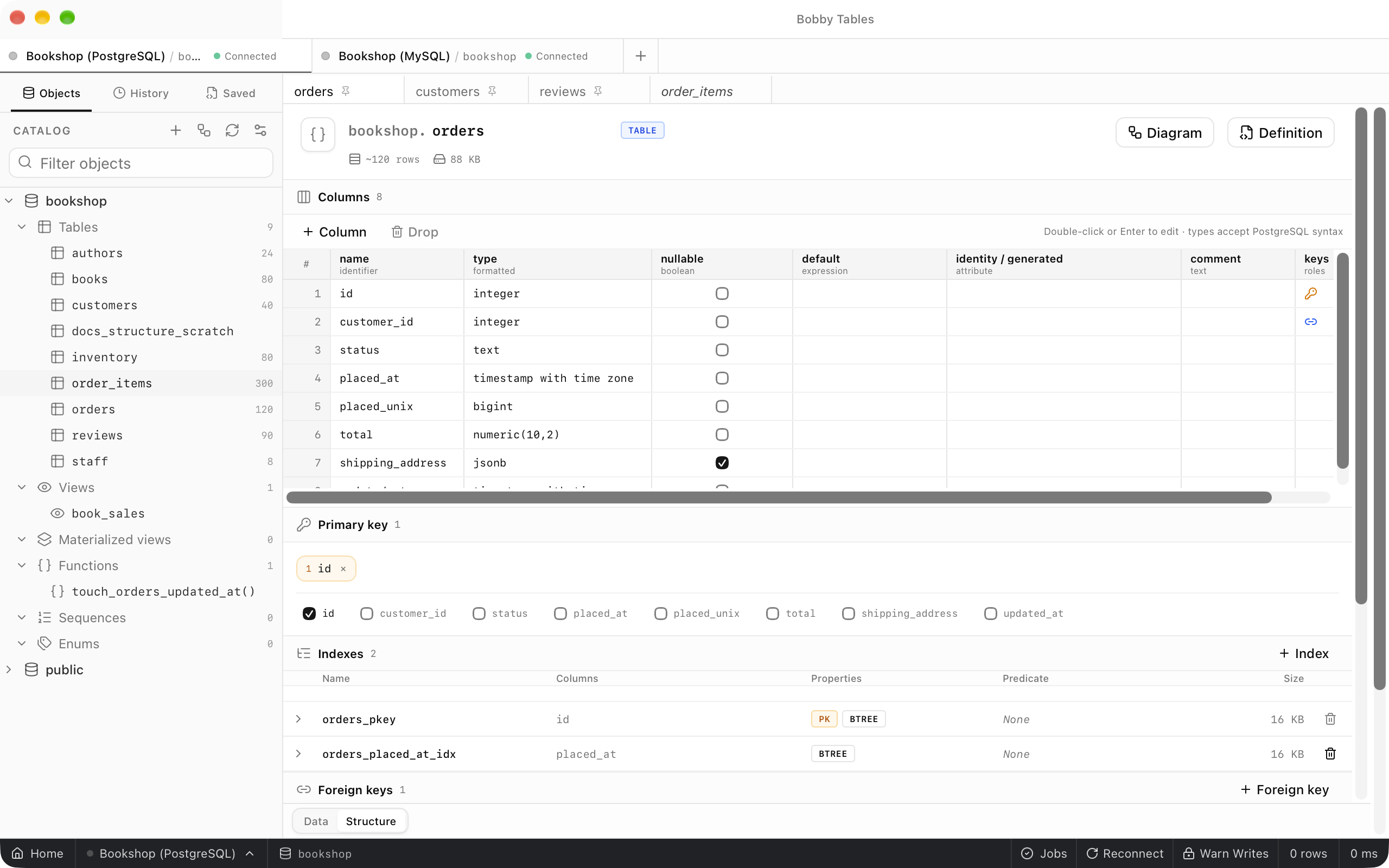
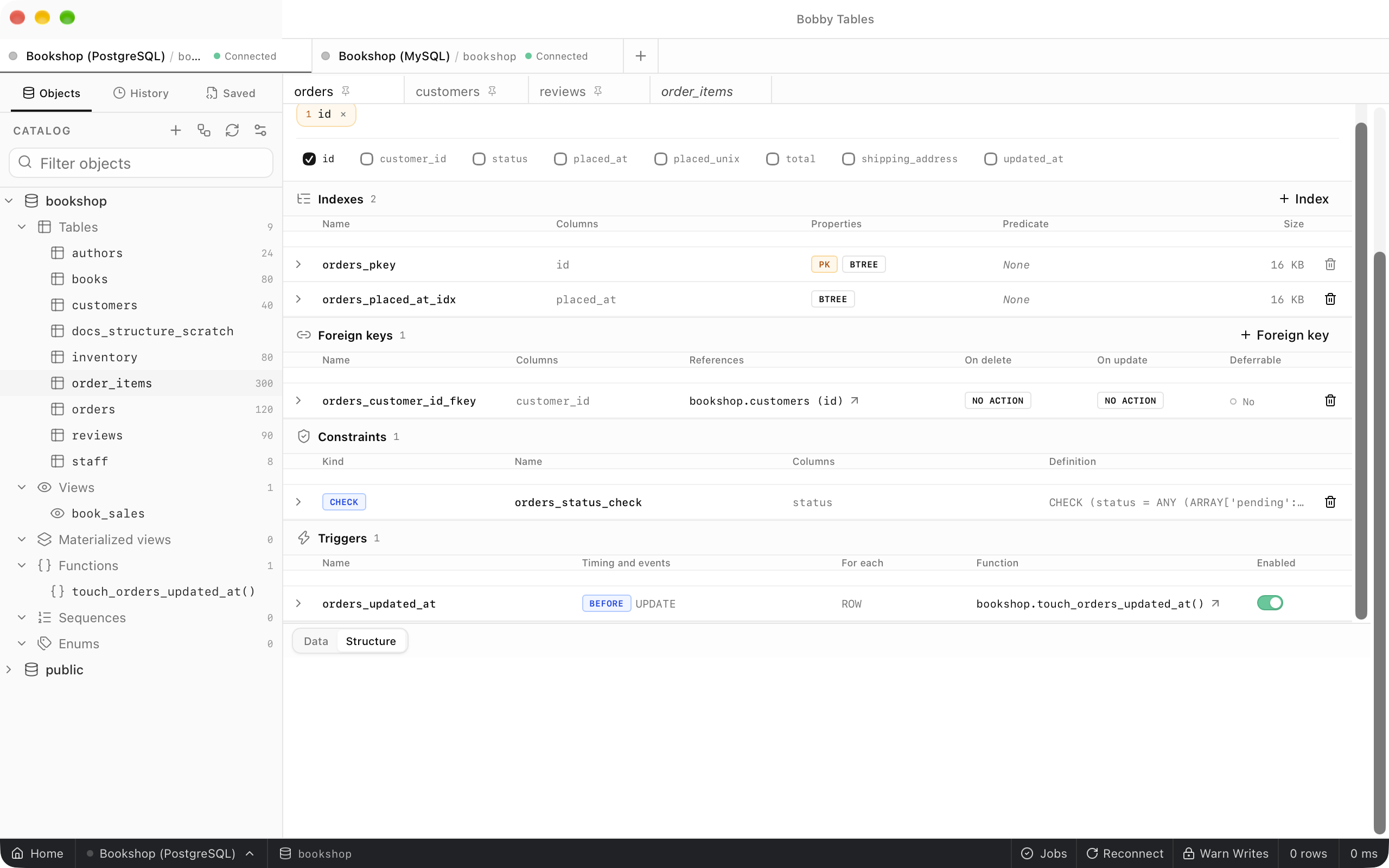
The header shows the schema and table name, a kind badge such as Table, an estimated row count and the table's size. Below it, Columns, Primary key, Indexes, Foreign keys, Constraints and Triggers each have a heading with a count. The columns grid lists each column's name, type, nullability, default, identity or generated attribute, comment and key roles, and on MySQL it adds unsigned, collation, on update, generated and auto increment details. Expand an index, foreign key, constraint or trigger to read its full definition.
Changing columns
Column above the grid adds a column, and so does ⌘I (Ctrl+I). Double-click a cell or press Enter to edit a name, type or default, and select columns and choose Drop to mark them for removal. Each change is highlighted, and the bar above the tab counts them, for example 3 changes, next to Discard, Preview and Commit. Preview opens SQL preview with the exact ALTER TABLE statements, and Index and Foreign key in their section headings add to the same set of changes.
Creating tables and views
New table... opens New table, where each column gets a name, type, default, nullability and primary key choice, and Preview shows the CREATE TABLE statement before you choose Create table. New view... opens New view with a name, a query editor and a Statement preview, and Create view runs it. Both run as soon as you confirm, without waiting in the pending changes.
Renaming, truncating and dropping
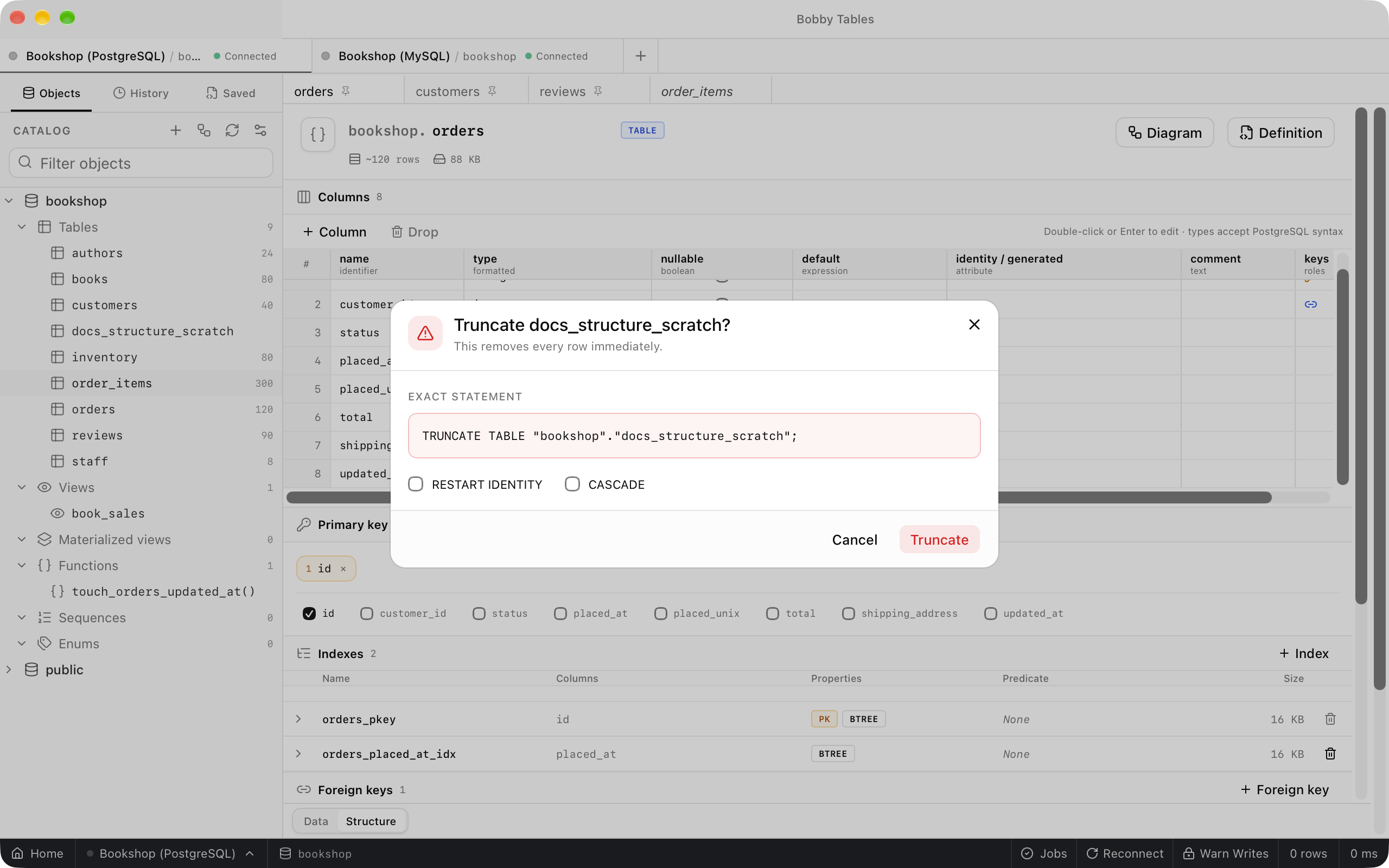
Rename... shows the rename statement for the new name and runs it when you choose Rename. Truncate... and Drop... always open a confirmation that names the table and shows the Exact statement, whatever the safe mode setting. On PostgreSQL the confirmation adds CASCADE, truncate also adds RESTART IDENTITY, and the statement changes as you tick them. On a connection tagged Production you also type the table name before Truncate or Drop is available.
Definition
Definition in the structure header opens the table's full definition in a side panel, and Copy puts it on the clipboard. On MySQL and MariaDB the panel is titled SHOW CREATE.
Good to know
- PostgreSQL, CockroachDB, SQL Server and SQLite commit structure changes in one transaction.
- MySQL, MariaDB, TiDB, Oracle, ClickHouse and Snowflake cannot roll back DDL.
Commitopens the preview first, with a warning that earlier statements stay applied if a later one fails, and the create, rename, truncate and drop dialogs show the same warning. - On SQLite, changing a column other than renaming it, adding or removing a key or constraint, or dropping a column that belongs to a key or index rebuilds the table, and the preview says
This change rebuilds the table. - With safe mode on, creating, renaming and committing structure changes also ask before they run.
- On a read-only connection the editing controls are disabled and explain
Connection is read-only. - Cloudflare D1 does not support graphical structure changes. Run DDL in the SQL editor instead.
- The schema diagram draws the same keys across tables. Native workspaces such as MongoDB and Redis have no Structure tab.