Files
Empty bucket
Remove every object in a bucket, including old versions, delete markers and unfinished multipart uploads, in one pass.
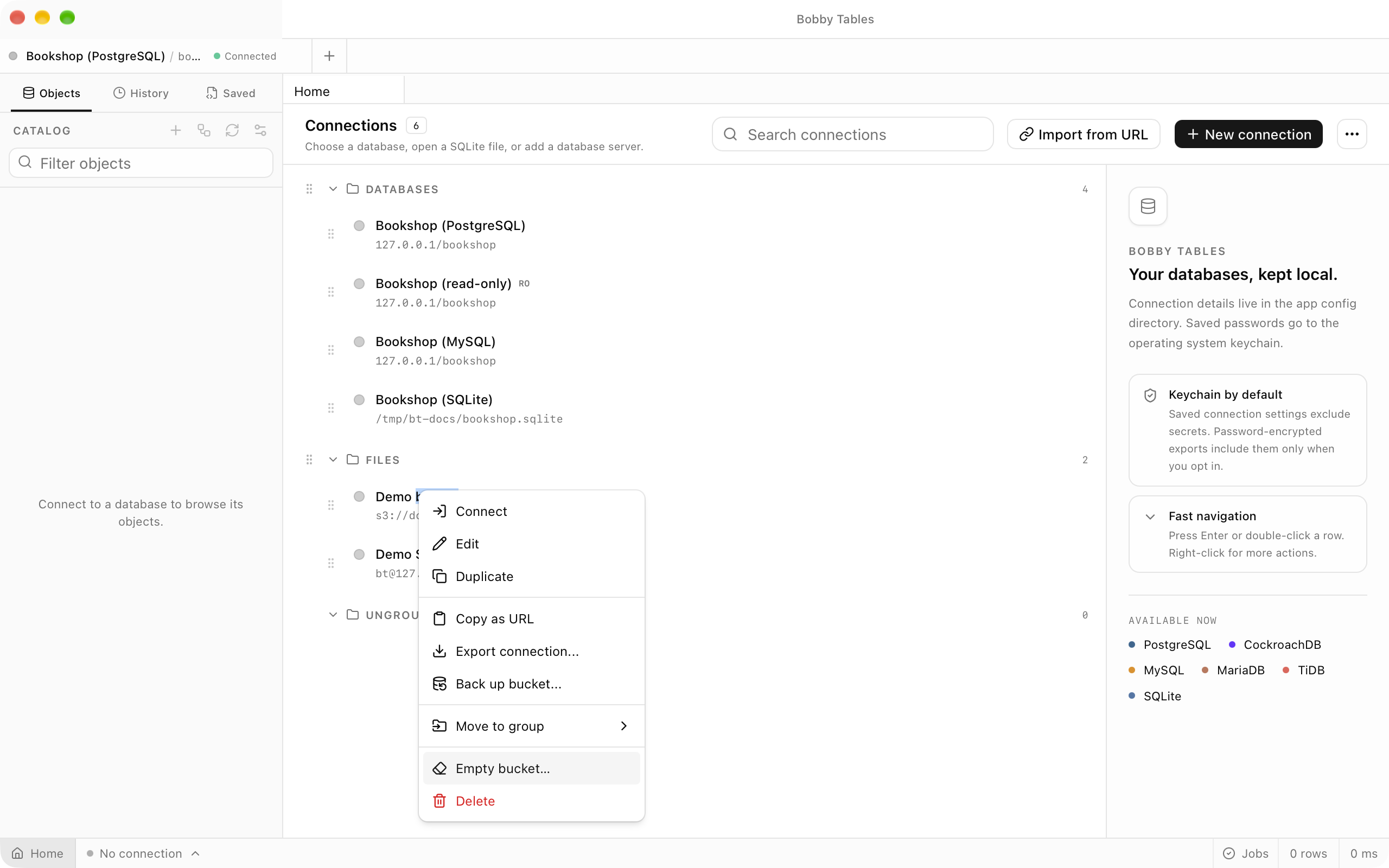
Where to find it
| Action | How |
|---|---|
| Empty a bucket | Empty bucket… in an S3 connection's context menu |
| Empty the bucket a pane shows | Empty bucket… in the pane's options menu |
| Watch or cancel it | Jobs in the status bar |
On a connection with a root prefix the item reads Delete everything under followed by the prefix, and only that prefix is emptied.
What is deleted
The job lists the bucket without folders and deletes objects in batches of 1,000 while the listing continues, so even a very large bucket empties in one pass. On a versioned bucket the listing covers every version, so old versions and delete markers go in the same pass. When the objects are gone, the job aborts unfinished multipart uploads.
The confirmation
The dialog names the connection, the bucket and its endpoint host, the scope and whether versioning is on, and counts objects and bytes while it is open. The destructive button stays disabled until you type the bucket name exactly, including case. Once the count finishes, the button names how many objects it will delete. Stop counting ends the count early without closing the dialog.
Watching the job
Confirming closes the dialog and starts a job in Jobs in the status bar. Its row shows objects deleted of objects listed, with a + while the listing is still finding more, and a rate. When it ends, the row reports the objects and bytes deleted and any uploads aborted. Cancelling lets the batches already sent finish, and emptying the bucket again starts a new listing.
Deleting the bucket and the connection
Tick Also delete the bucket when it is empty to delete the bucket itself at the end; this runs only if every object was deleted, and the option does not appear on a connection with a root prefix. Once the bucket is gone, the app asks whether to delete the saved connection as well, and Keep leaves it in your list.
Failures
A key that cannot be deleted does not stop the job. Failed keys are retried once after the listing ends, and any that still fail leave the bucket not empty and add Show failures to the job row. The list gives each key, its version, the error code and message, and Copy all copies it as text.
Good to know
- There is no undo, and S3 has no trash.
- A read-only connection opens the dialog without a delete button and asks you to allow writes first.
- Unfinished multipart uploads keep using storage until they are aborted, and a bucket that still holds them cannot be deleted.
- Up to 1,000 failed keys are kept for the list.
- A connection tagged Production says so in the dialog.
- SFTP servers and local folders have no empty action; select the entries in the Files workspace and delete them.