Database tools
Database snapshots
Save a database, or part of one, as a SQL script the database's own client restores, from a dialog that checks disk space first and lets you slow the read down for a busy server.
Where to find it
| Action | How |
|---|---|
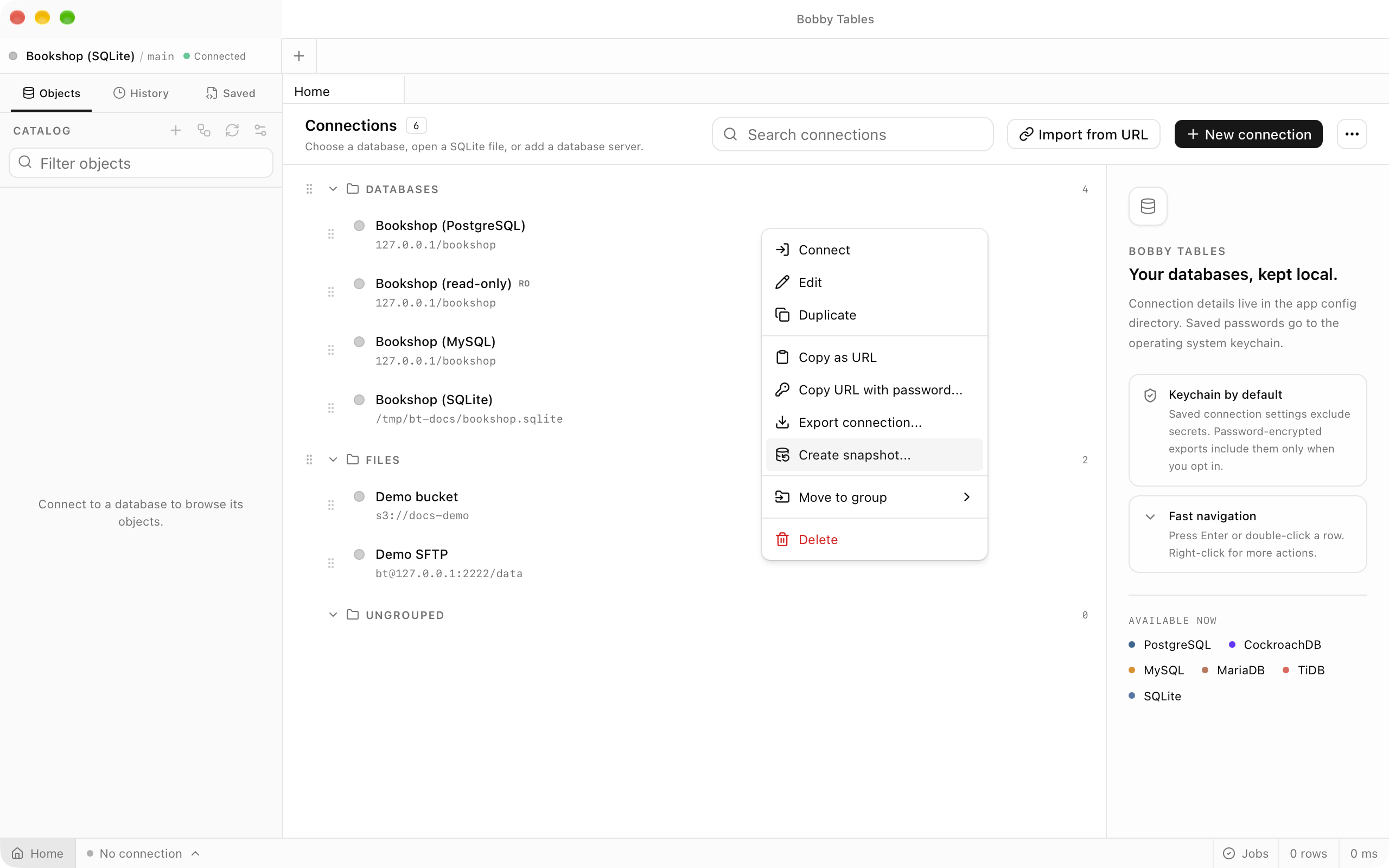
| Snapshot a saved connection | Create snapshot... in the connection's context menu on the Home screen |
| Snapshot the open database | Create object in the sidebar's Catalog header, then Create snapshot... |
| Search for the action | Create snapshot… in Open Anything, ⌘P (Ctrl+P) |
| Follow a running snapshot | Jobs in the status bar |
The dialog has two steps, What and Where. Start snapshot hands the work to a job and closes the dialog.
What you get
PostgreSQL, MySQL, MariaDB and TiDB snapshots are SQL scripts that psql or mysql replays. Rows are written between the tables and their indexes, foreign keys and triggers, the same split pg_dump uses, so a restore loads bare tables before it builds indexes. A SQLite snapshot is a script or a copy of the database file. Nothing has to be installed, and the file never depends on this app.
Choosing what to include
Include is Structure and data, Structure only or Data only. Scope lists each schema and its tables with their sizes. A table's own box keeps its structure and the data box beside it keeps its rows, so a large log table can keep its CREATE TABLE and leave its rows out. Views, functions, sequences and types follow their schema on the Other objects row, and the line under the tree totals the selection.
What a structure snapshot includes names the object kinds the script covers and, when opened, the ones it leaves out, such as ownership and grants.
Pace and consistency
A snapshot opens its own connection and reads inside one read-only transaction, so it never locks a table and the workspace stays usable. Gentle caps reading at about 20 MB/s and pauses between tables, while Full speed reads as fast as the connection allows. Lock wait, 5 seconds by default, is how long the snapshot waits for a table another session has locked before it gives up rather than making other sessions queue. On MySQL, tables that are not InnoDB are read outside that consistency.
Destinations
Local file writes to a path you type or pick with Choose..., and the offered name combines the connection, the database and the time. File connection streams to a saved S3 or SFTP connection, so nothing is stored on this computer. Compression is gzip by default, zstd for a smaller file where zstdcat is available, or None. A snapshot that fails or is cancelled leaves no file, no partial upload and no open transaction.
On SQLite, Format adds Database file (page copy) and Database file, compacted. A page copy always holds the whole database, and one bound for a file connection is written to a temporary file on this computer first.
Preflight
On the Where step, Preflight says what Start snapshot would do before anything is written: the data to read, the free space at a local destination, where the file lands, and the command under Restore with. Warnings follow, most actionable first: a read-only destination connection, low disk space, a PostgreSQL standby, MySQL tables that are not InnoDB, routine bodies the account cannot read, and a large snapshot passing through this computer. Only a read-only destination stops Start snapshot. Low disk space is a warning because a compressed file is usually much smaller than the estimate.
External engine
When pg_dump is installed for a PostgreSQL connection, or mysqldump or mariadb-dump for MySQL, MariaDB or TiDB, Engine offers it beside Built-in, which stays the default. The file then holds whatever the tool writes, ownership and grants included, and pg_dump can write a Custom archive (.dump) for pg_restore. The tool reads inside the app's own transaction, is never given a lock flag, and receives the password through its environment rather than its command line. A pg_dump older than the server appears disabled with the reason, and an external run reports bytes written without a total.
Running and restoring
The job row in Jobs shows tables done, bytes written and the table being read, with a button to cancel. A finished row offers Reveal and Copy restore command, and a failed row offers Retry. There is no restore button: run the command with the database's own client. With the default gzip compression the commands are:
# PostgreSQL
zcat <file> | psql -v ON_ERROR_STOP=1 -d <database>
# MySQL, MariaDB and TiDB
zcat <file> | mysql <database>
# SQLite script
zcat <file> | sqlite3 new.sqlite
With zstd the commands start with zstdcat. A pg_dump custom archive restores with pg_restore -d <database> <file>, and a SQLite page copy is unpacked with gunzip and opened. A MySQL script names its own database with USE, so it restores into the database it came from.
Good to know
- Snapshots are available for PostgreSQL, MySQL, MariaDB, TiDB and SQLite.
- CockroachDB, SQL Server, ClickHouse, Oracle, Snowflake, BigQuery, Cloudflare D1 and the native workspaces have no snapshots.
- A snapshot covers one database, not users, roles or server settings.
- A snapshot is a job, not a saved definition, so there is no schedule, history or resume.
- The file goes only to the destination you choose.