Browse and edit
Editing rows
Change cells, add or delete rows, read the exact SQL the app will run, then commit it in one transaction. Nothing reaches the server until you commit.
Where to find it
| Action | How |
|---|---|
| Edit a cell | Double-click the cell |
| Add a row | Row, ⌘I (Ctrl+I) |
| Duplicate rows | Duplicate, ⌘D (Ctrl+D) |
| Delete rows | Select whole rows by their numbers, then Delete |
| Set NULL | Right-click, Set NULL, ⌘⇧N (Ctrl+Shift+N) |
| Set DEFAULT | Right-click, Set DEFAULT, ⌘⇧D (Ctrl+Shift+D) |
| Preview the SQL | Preview, ⌘⇧P (Ctrl+Shift+P) |
| Commit | Commit, ⌘S (Ctrl+S) |
Discard, Preview and Commit appear in a bar above the grid once a change is pending.
Pending changes
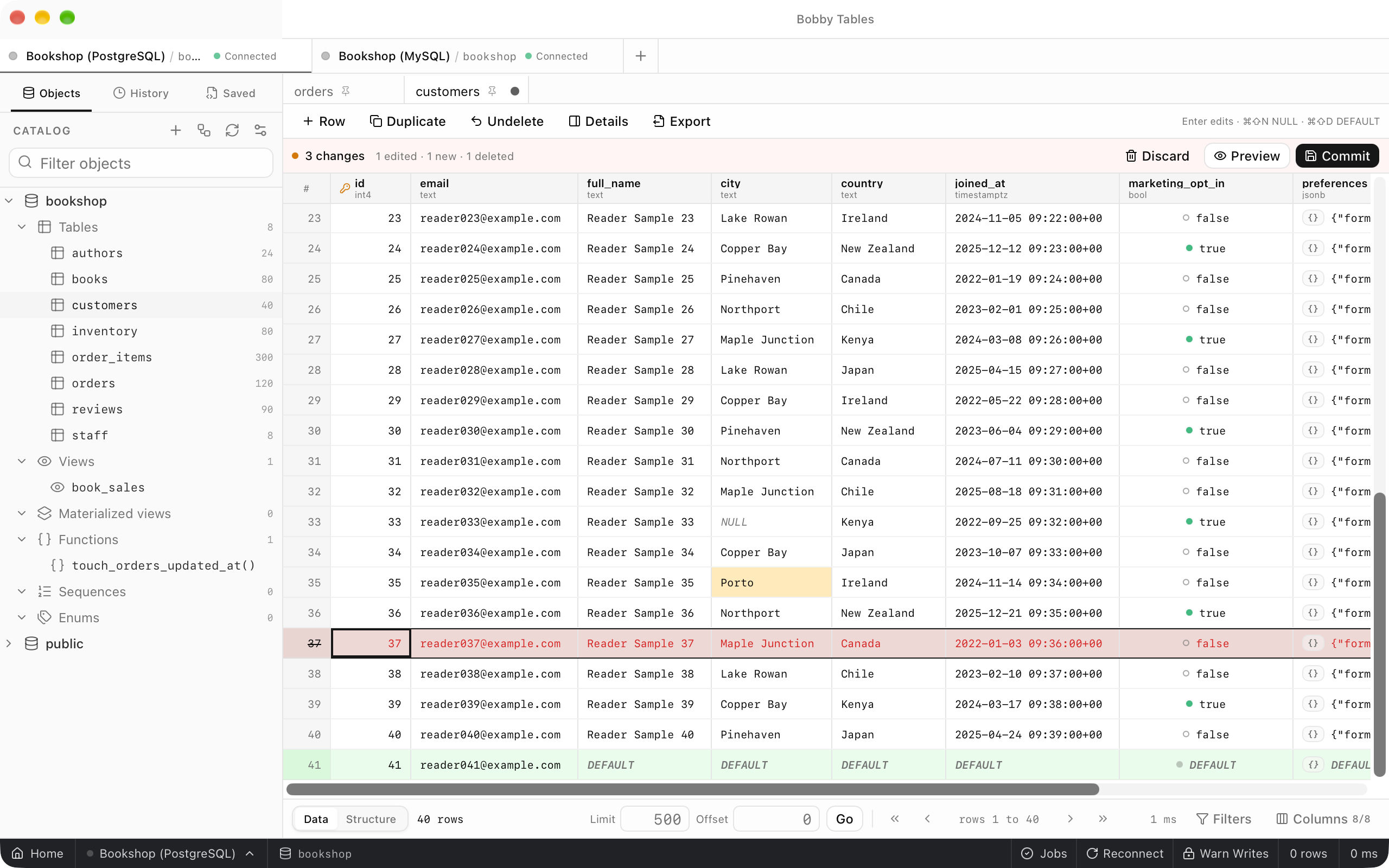
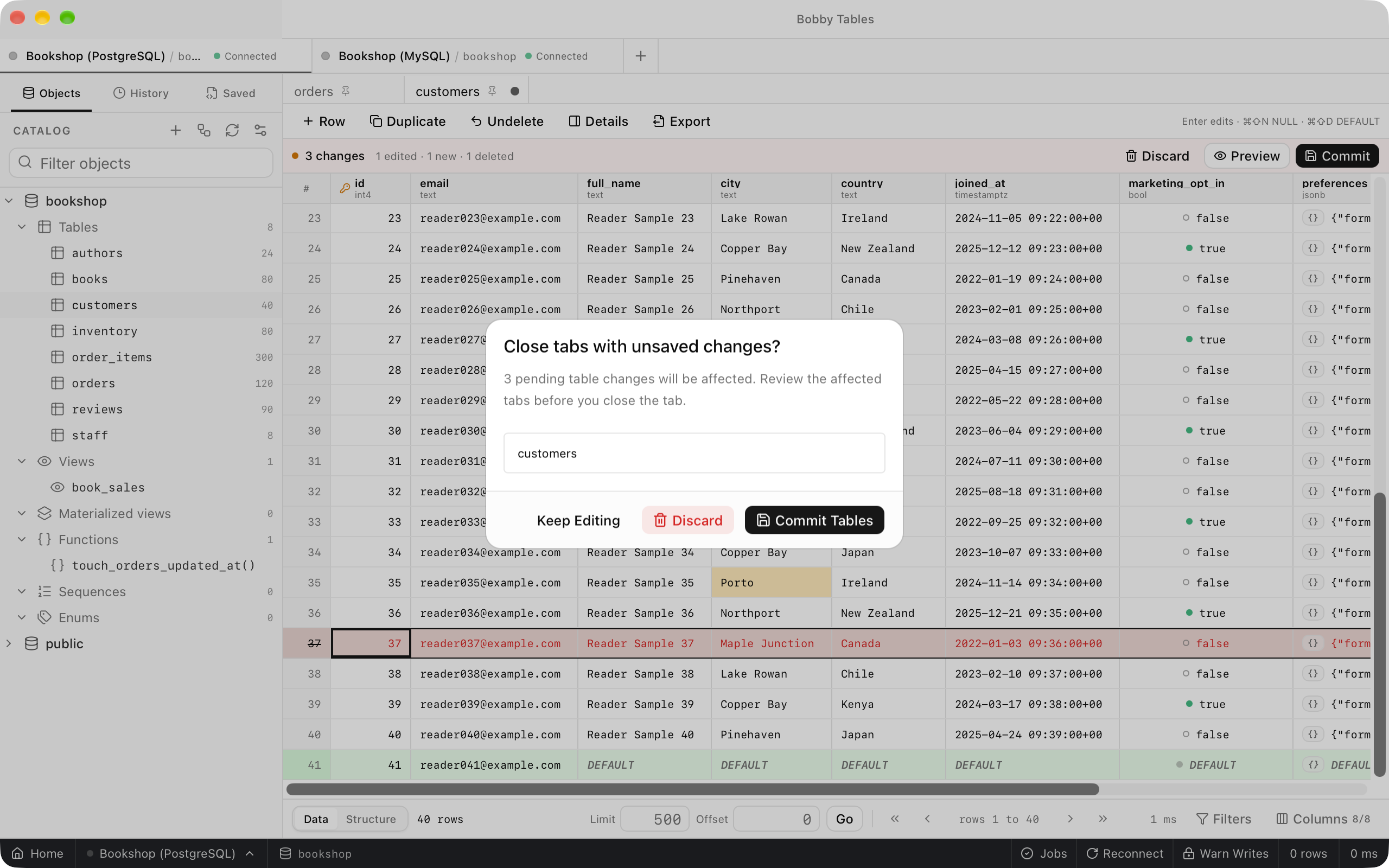
Double-click a cell, type a new value and press Enter, or press ⌘I (Ctrl+I) to add a row whose empty cells read DEFAULT. A changed cell is highlighted, a new row is tinted green, and a row marked for deletion is struck through in red. The bar above the grid counts them, for example 3 changes and 1 edited · 1 new · 1 deleted. Nothing is sent to the database yet.
NULL and DEFAULT
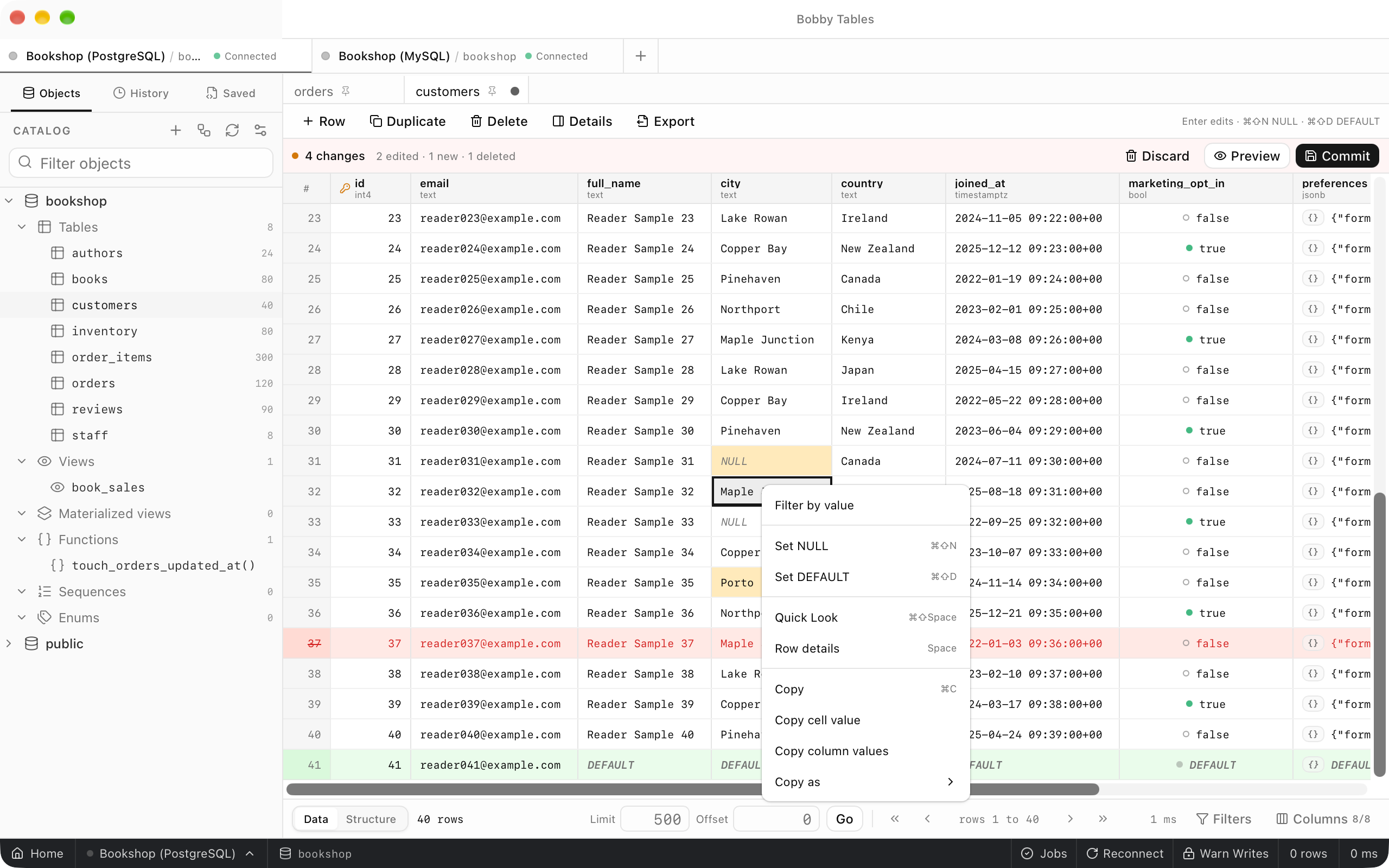
Set NULL and Set DEFAULT in a cell's context menu write that value into the selected cells. The grid draws NULL as an italic NULL and a pending default as DEFAULT, so neither looks like an empty string. Both are pending changes like any other edit.
Preview and commit
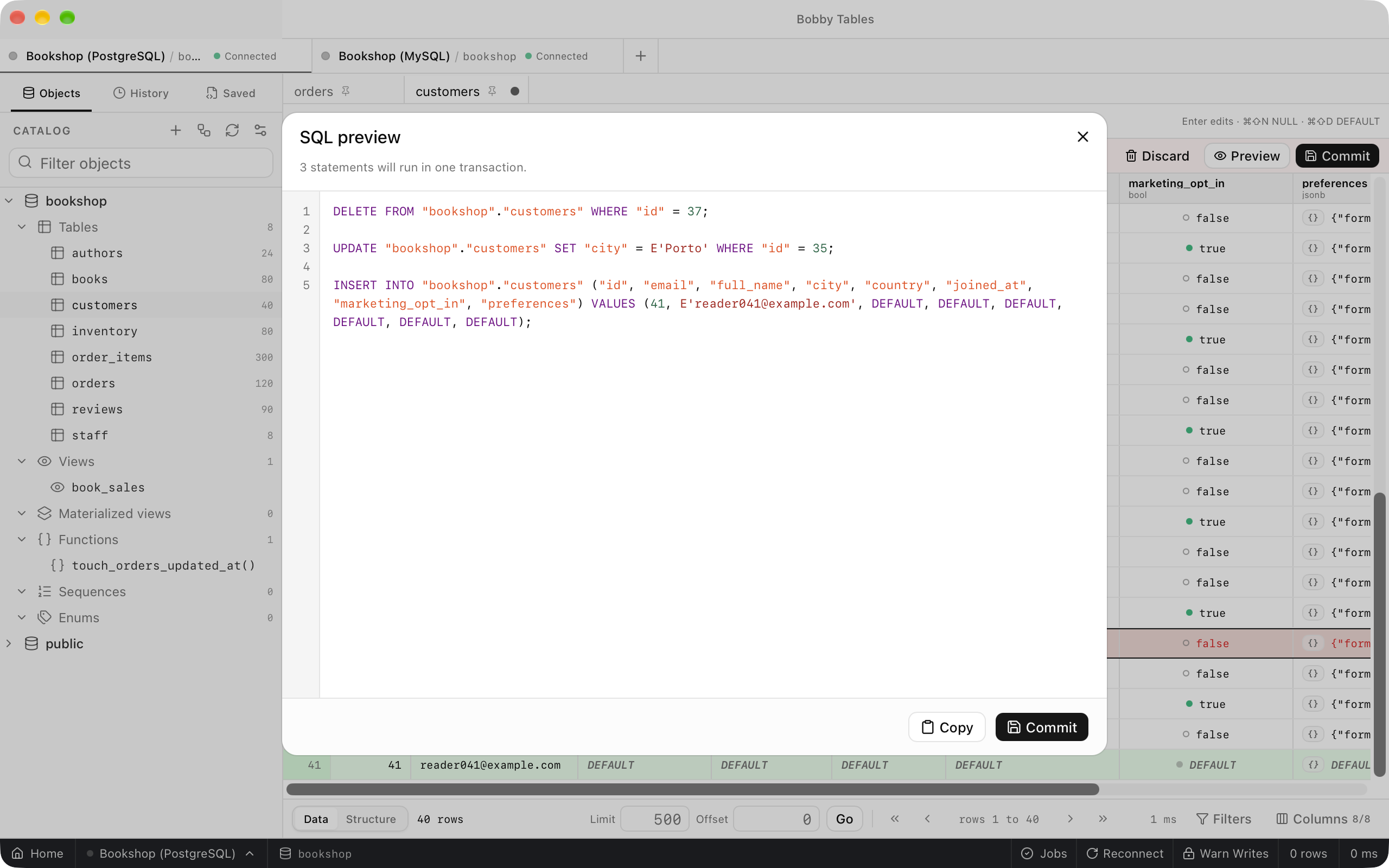
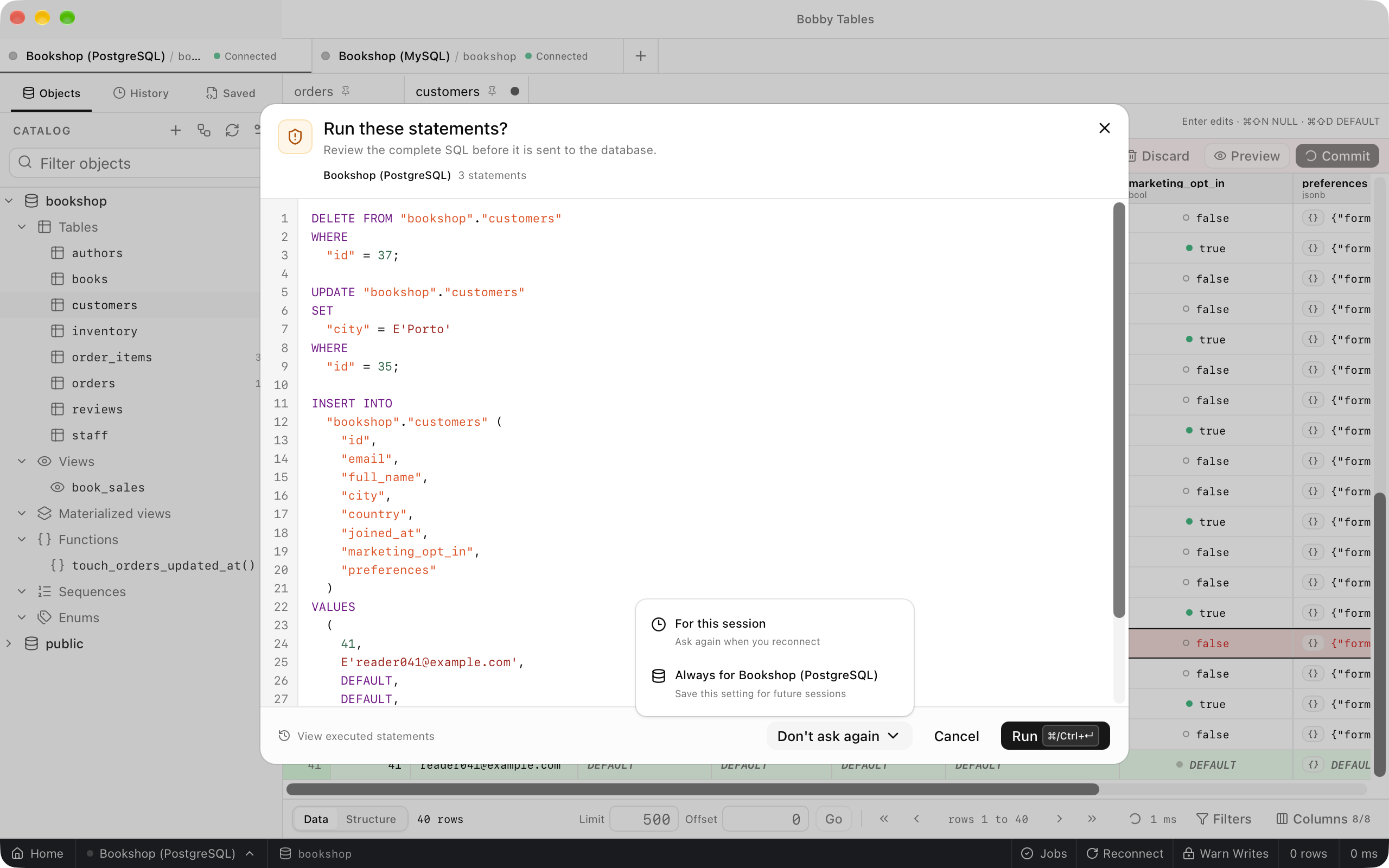
Preview opens SQL preview with the statements a commit will run, in order: deletes, then updates, then inserts. Commit runs them in one transaction. With the connection's safe mode on Warn Writes, the default, Run these statements? shows the complete SQL first and waits for Run. Its Don't ask again menu turns the prompt off For this session or always for the connection, as Safe mode describes.
When a commit fails
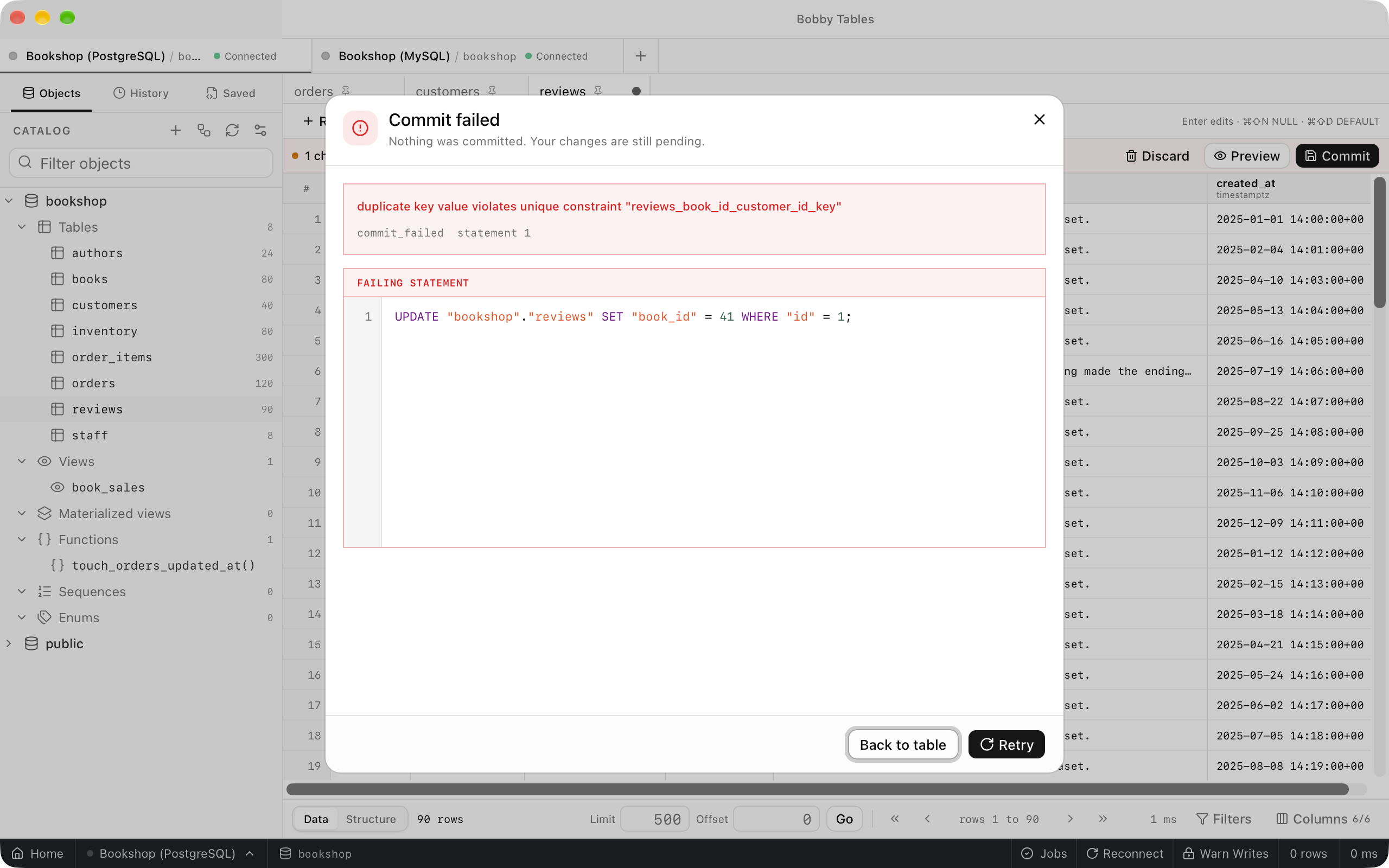
If the database rejects a statement, Commit failed opens with the database's message and the failing statement. Because the statements run in one transaction, nothing is committed and the changes stay pending. Choose Back to table to fix the value and commit again.
Leaving with changes pending
Closing a tab with pending changes opens Close tabs with unsaved changes?. It lists the affected tabs and offers Keep Editing, Discard and Commit Tables. Discard in the pending bar asks before it throws away more than one change.
Good to know
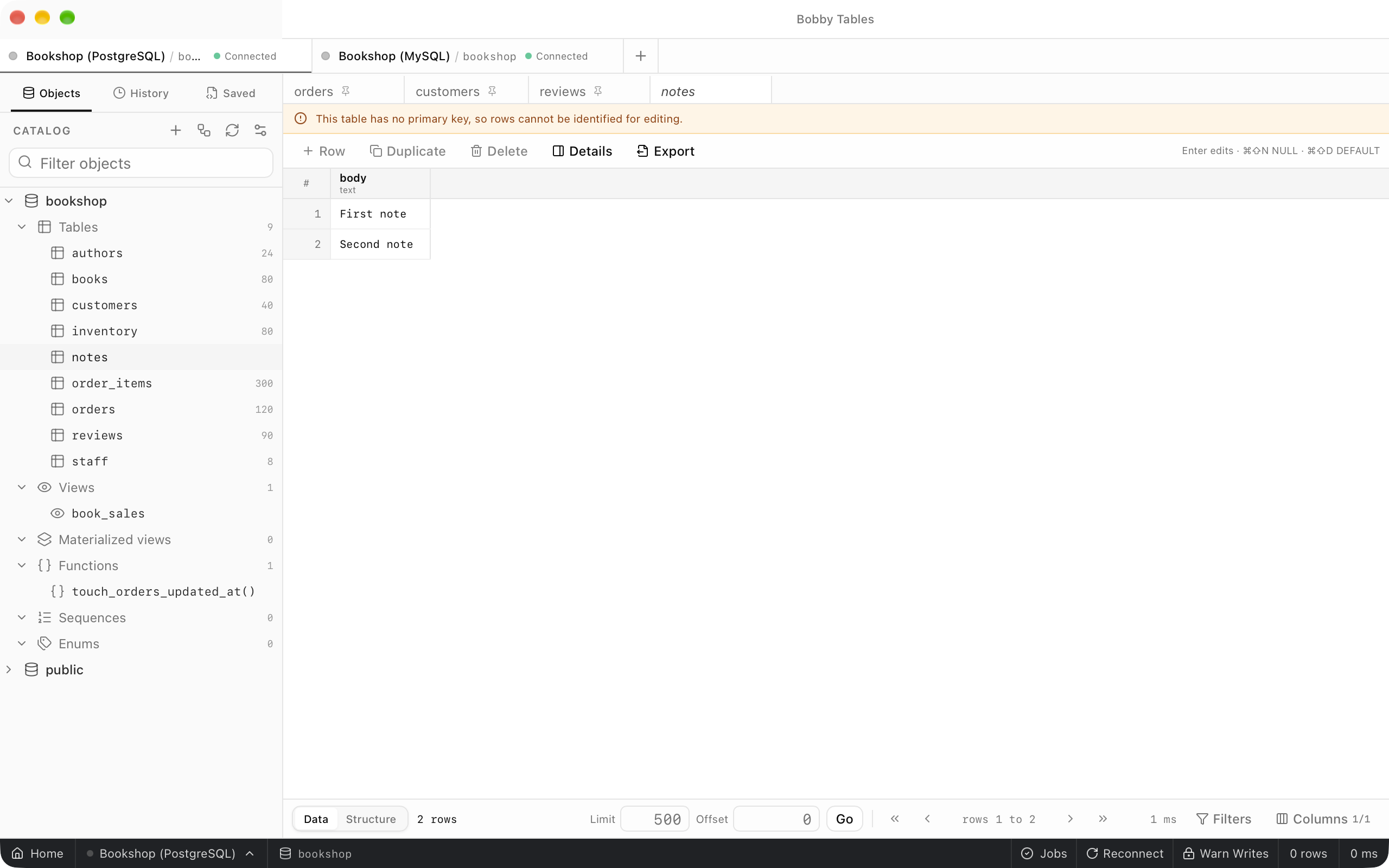
- A table with no primary key opens read-only with the banner
This table has no primary key, so rows cannot be identified for editing. - A read-only connection disables every editing control.
- Redis, Cassandra and MongoDB stage changes in their own workspaces.
- The row inspector's JSON view adds to the same pending changes. See Row inspector.