Query
Result display directives
A suffix on a column alias tells the grid how to draw that column. The query stays plain SQL, the stored value stays what it was, and copy and export use the raw value.
Where to find it
| Action | How |
|---|---|
| Add a directive | A column alias in any query, such as total AS "total__format__money" |
| Turn directives on or off | Preferences > Data > Interpret display directives in column aliases |
| Allow image thumbnails | Preferences > Data > Load remote image previews |
| Set the currency for money | Preferences > Data > Default currency |
| Show one column's alias literally | Right-click the heading, then Treat alias as plain text |
An alias takes the form label__namespace__directive, with exactly two underscores between parts and optional arguments after the directive. The namespace is format for a formatter or goto for a link to another table. The heading shows only the label, so total__format__money appears as total.
Formatters
| Alias | Draws |
|---|---|
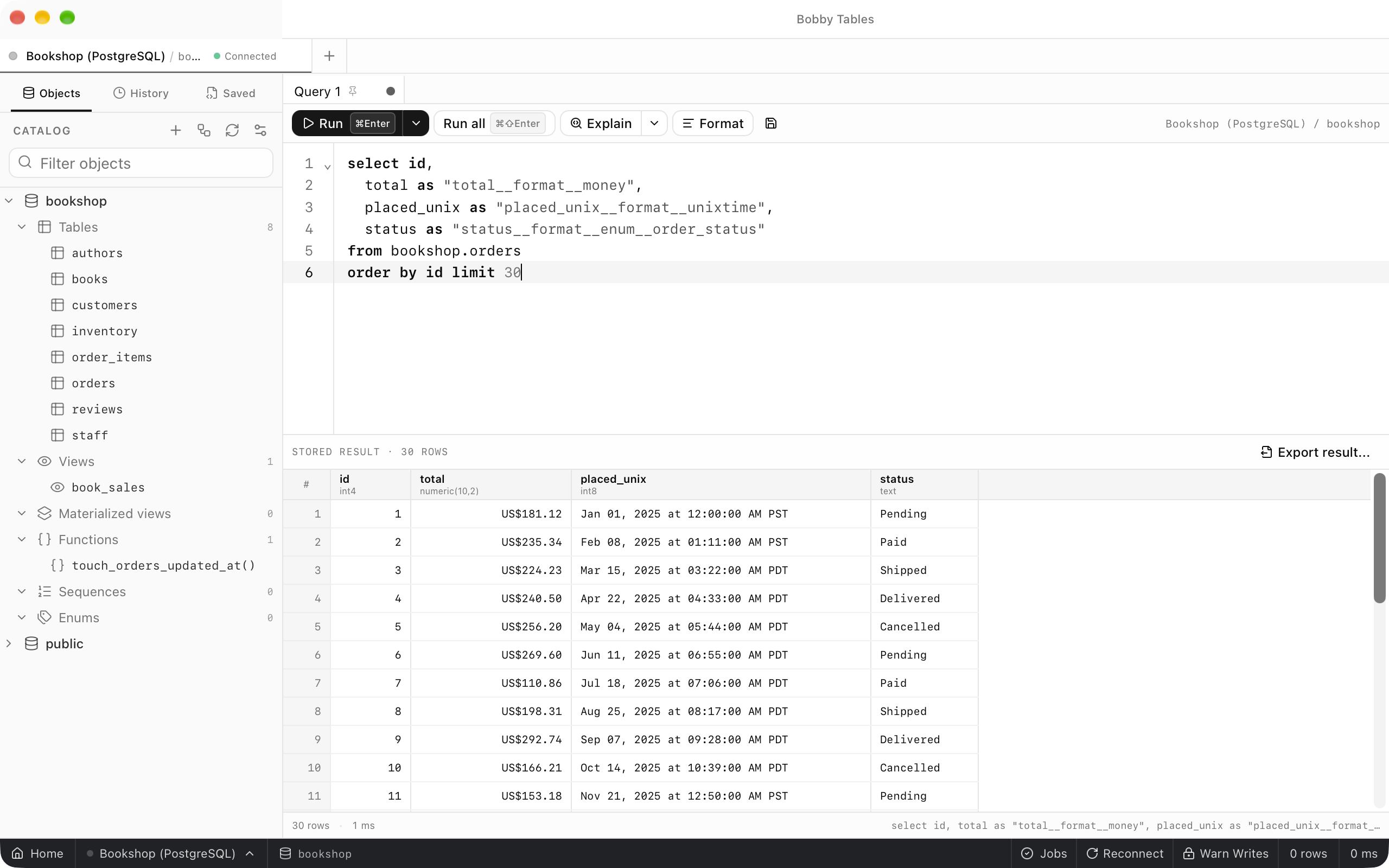
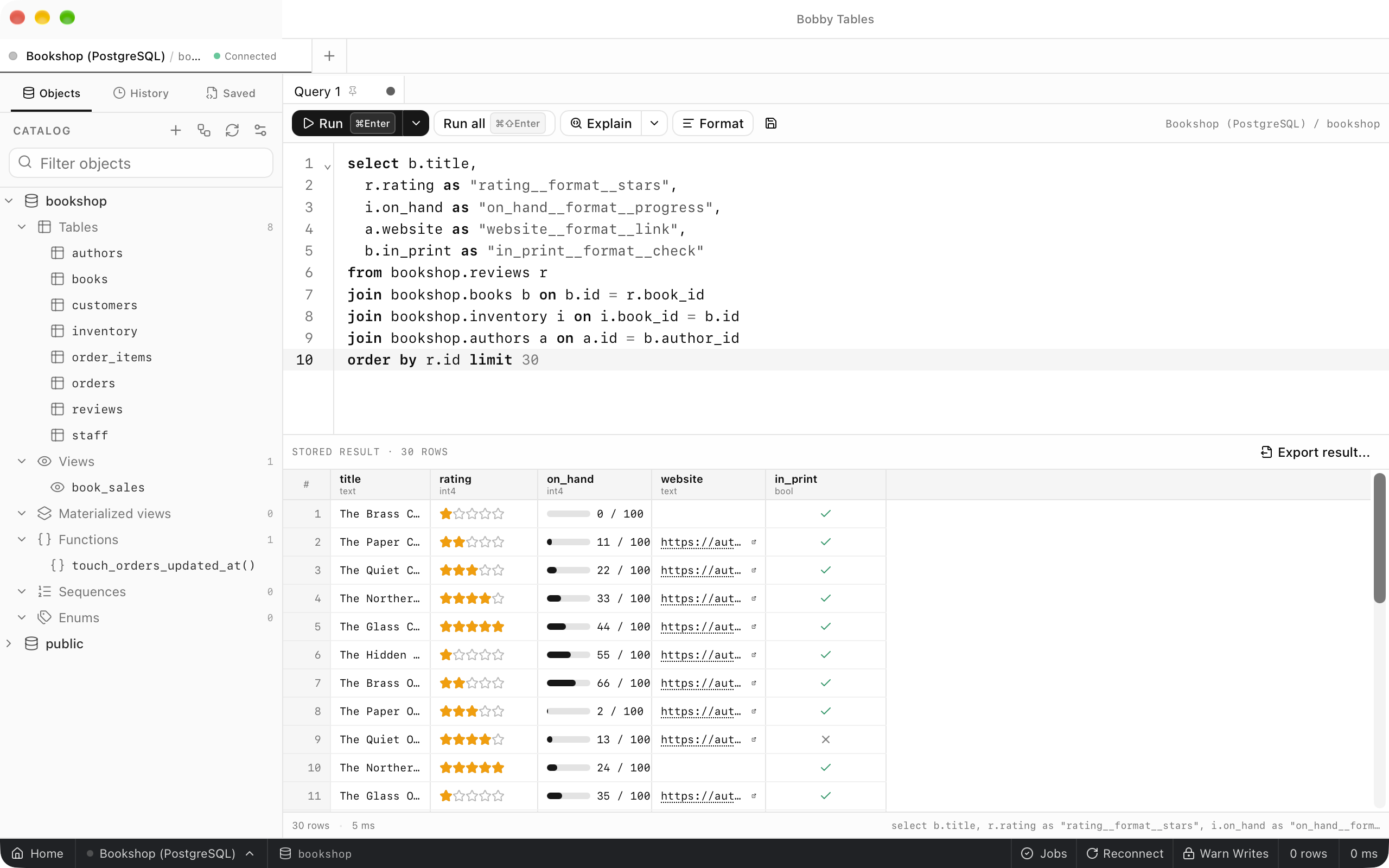
in_print__format__check | A check for true and a cross for false |
website__format__link | The URL as a link that opens in your browser |
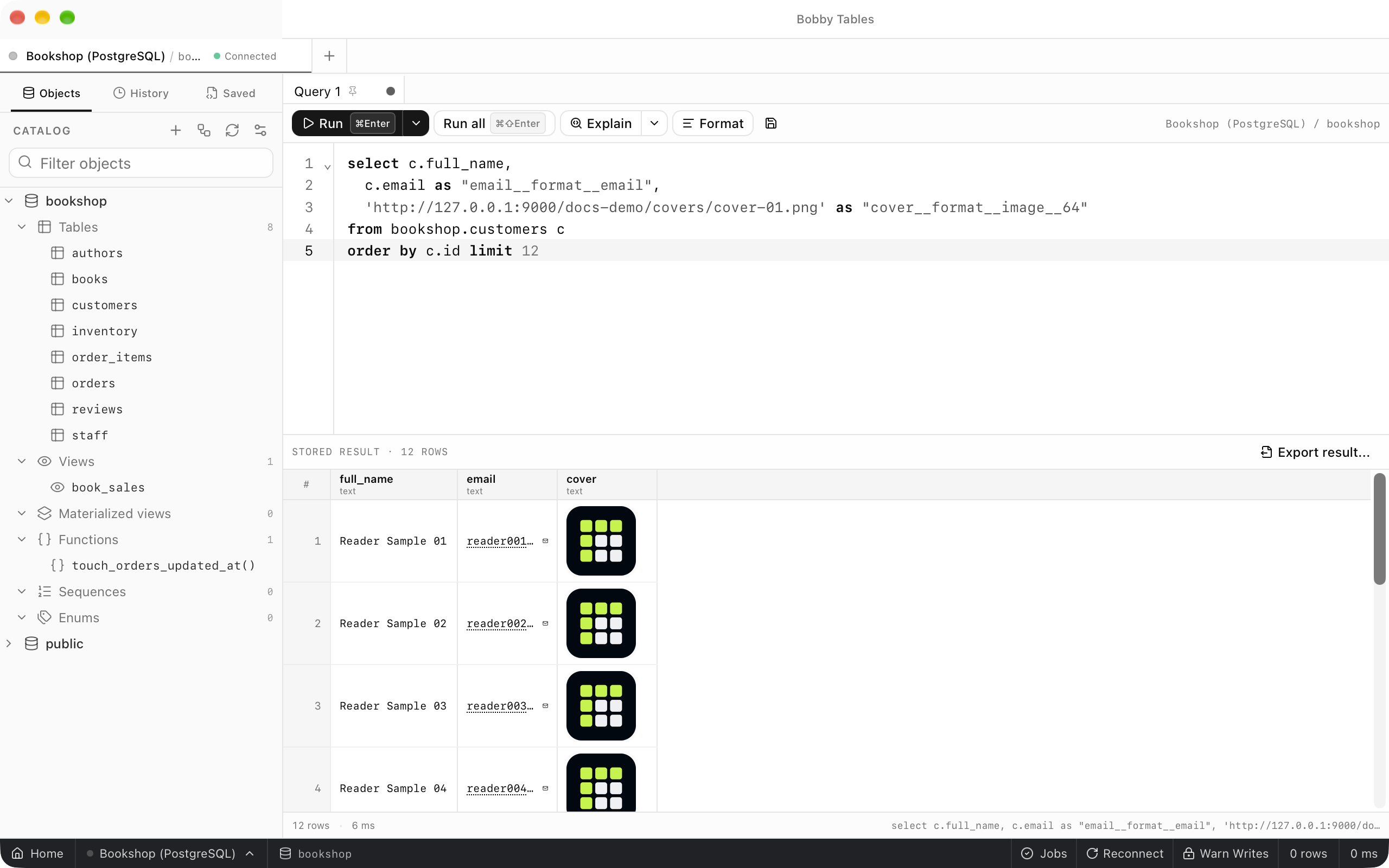
email__format__email | The address as a link that starts a message in your mail app |
total__format__money__EUR | The number as currency, or in the Default currency when the alias names none |
on_hand__format__progress | A bar with the value and its maximum, 100 unless the alias adds one such as __10 |
rating__format__stars | Stars out of 5, or out of a maximum the alias adds |
placed_unix__format__unixtime | A local date and time from seconds since the epoch, or __ms, __us or __ns |
cover__format__image__64 | A thumbnail of an image URL at the given size in pixels |
status__format__enum__order_status | The label that enums.json gives the stored value |
Formatters combine freely in one result. A value a formatter cannot draw stays plain text, and a NULL stays an empty cell.
Enums
The enum formatter reads enums.json in the app's configuration directory. The file is a JSON array of named enums whose variants map a stored id to the value the grid shows:
[
  {
    "name": "order_status",
    "variants": [
      { "id": "pending", "value": "Pending" },
      { "id": "shipped", "value": "Shipped" }
    ]
  }
]
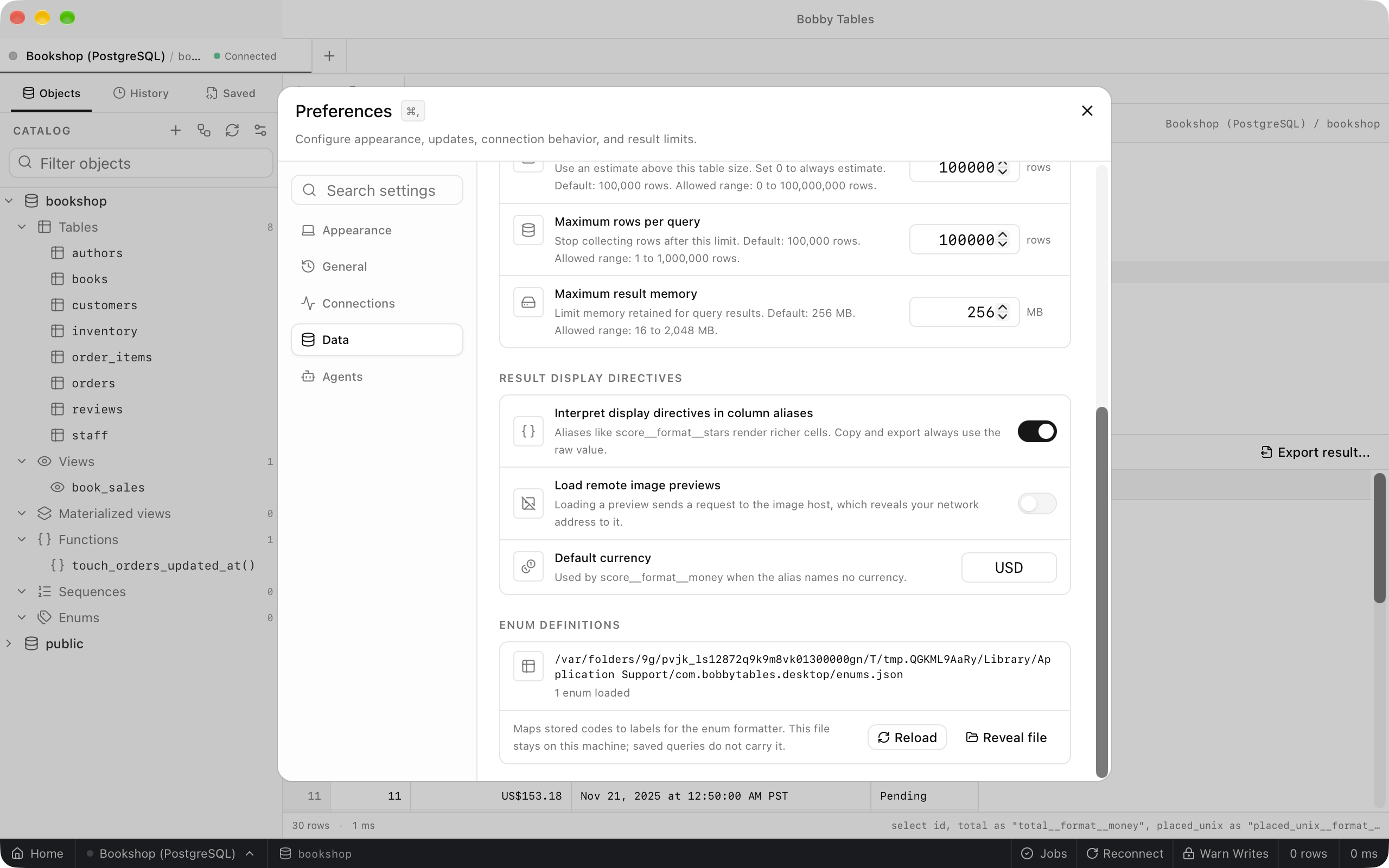
Enum definitions in Preferences > Data shows where the file is and how many enums loaded, with Reload and Reveal file. Edit the file itself to change definitions. It stays on this computer, and saved queries do not carry it.
Goto
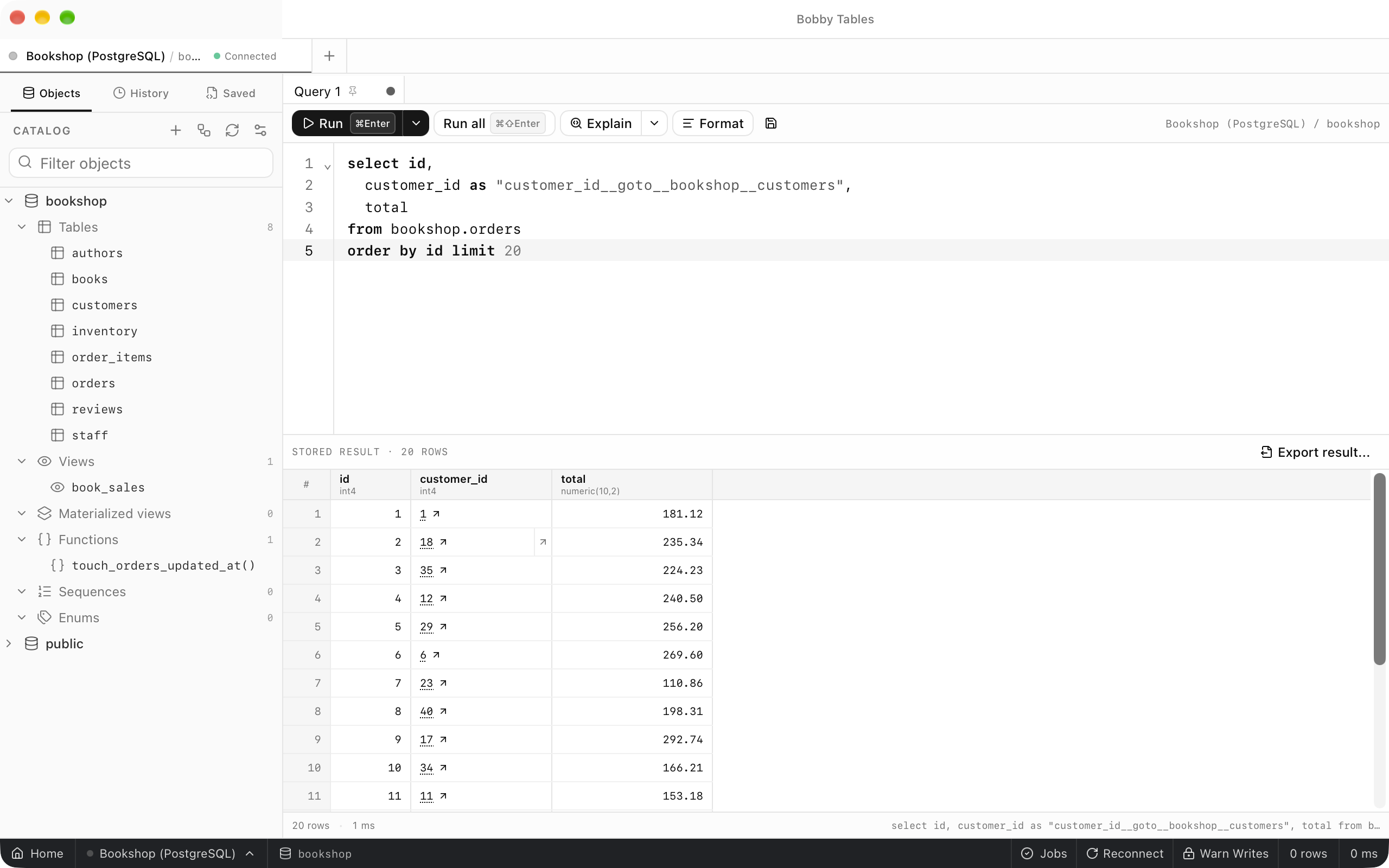
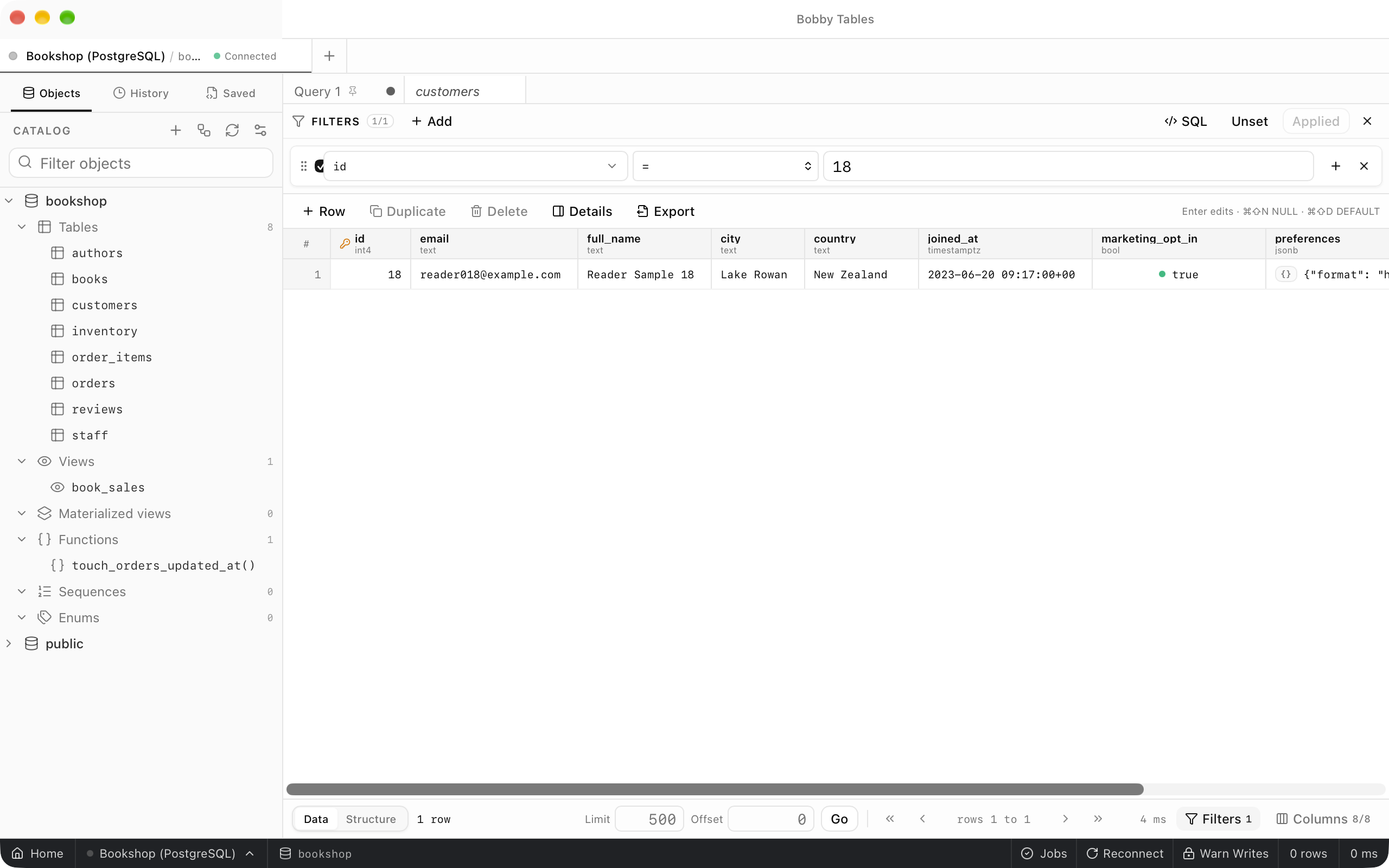
goto turns a value into a link to a table on the same connection, filtered to the rows that match it. It takes four forms: label__goto__table, label__goto__schema__table, label__goto__table__column and label__goto__schema__table__column. Without a column the target needs a single-column primary key, and a target without a schema is looked up in the current schema, which is public on PostgreSQL. Select the arrow in a cell to open the table in a new tab with a filter already applied.
Completion and diagnostics
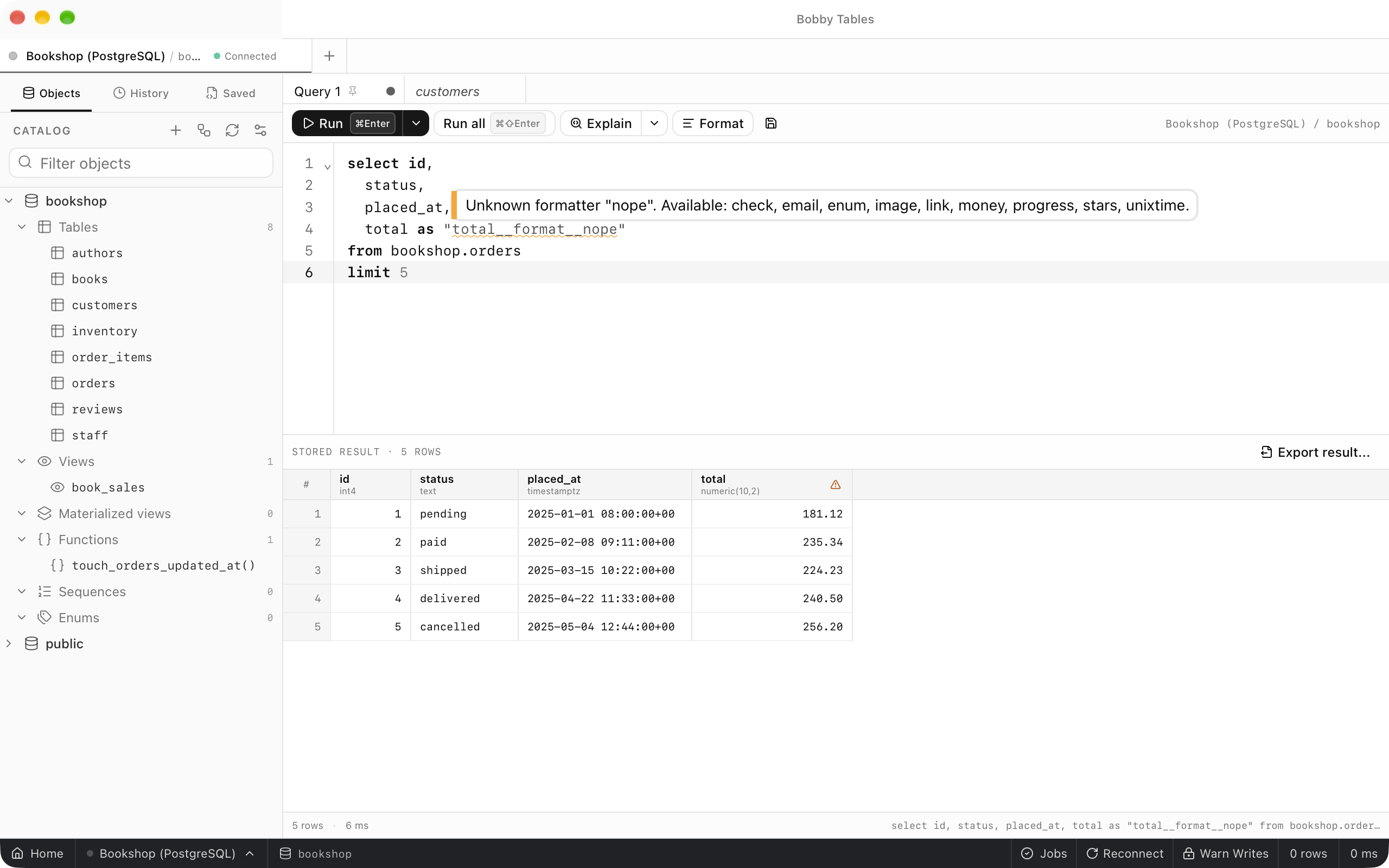
Type an alias after AS and two underscores, and completion suggests the next segment: format or goto, then formatter names, enum names, schemas, tables and views. Completion opens on its own for an unquoted alias. The editor underlines an alias it cannot apply, and hovering the underline shows why. The result heading of that column shows a warning icon with the same message.
Turning it off
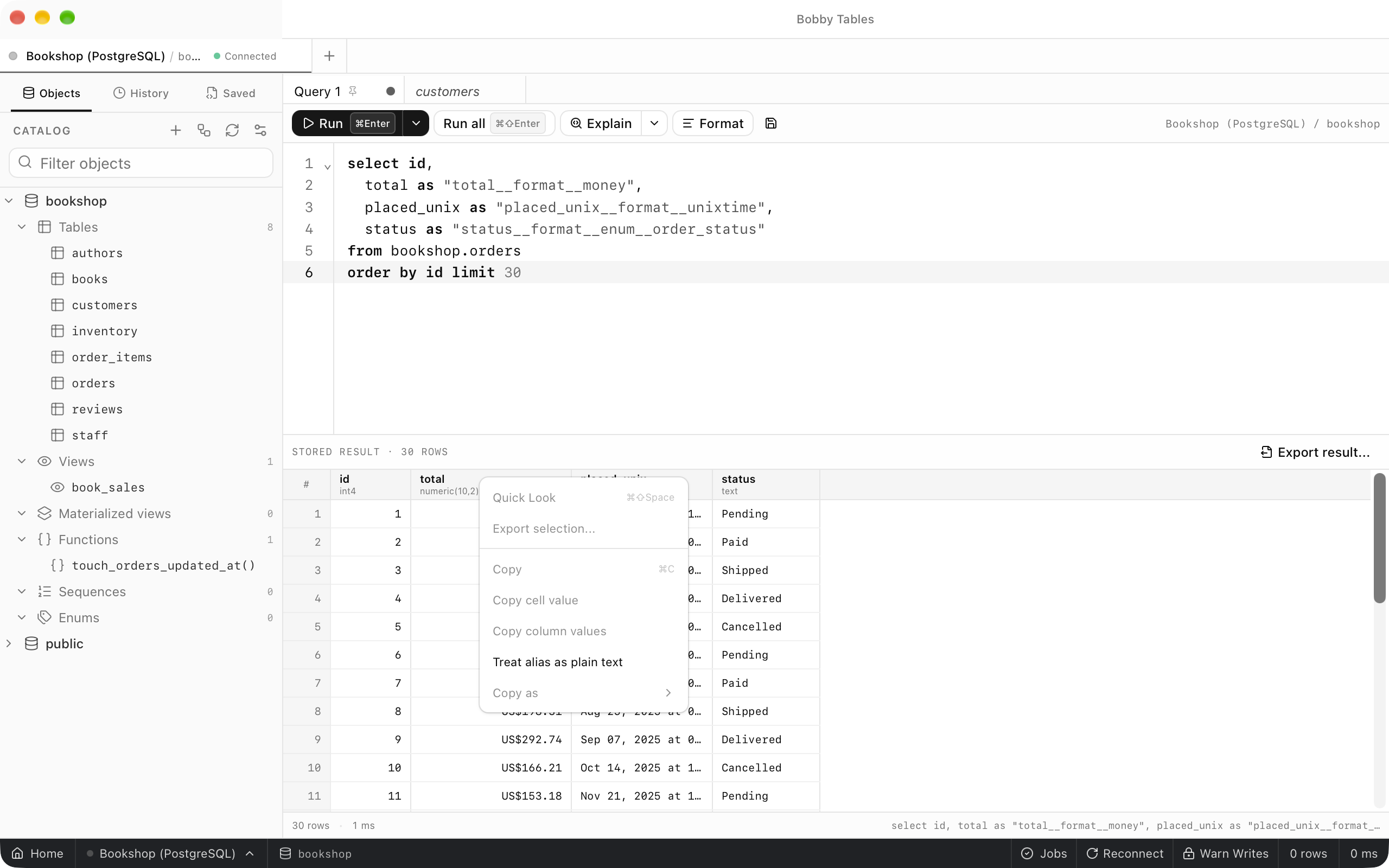
Right-click a directive column's heading and choose Treat alias as plain text to show that column's full alias and raw values. Interpret alias directive in the same menu switches back. To stop reading directives everywhere, turn off Interpret display directives in column aliases in Preferences > Data.
Good to know
Load remote image previewsis off by default, because loading a preview reveals your network address to the image host.- Copy and export use the raw value in every cell.
- PostgreSQL lower-cases unquoted aliases and cuts aliases at 63 bytes, so quote directive aliases and keep them short.
- Formatting a value never changes the SQL that runs.